
How to Analyze Pressure-Dependent Decomposition in Inert Gas
Thermal decomposition of Calcium Oxalate Monohydrate under enhanced pressures of Nitrogen
Introduction
Some solids decompose with the gaseous product. If this gaseous product is non-reactive, then its presence or absence has no influence on the main decomposition rate. But sometimes the gaseous product can react with another product like in reversible decomposition. For reversible reactions the increasing of the pressure for inert gas leads to decreasing the diffusion coefficient, and to increasing of the local concentration of gaseous product, which cannot be easily removed from the reaction zone and increase the rate of backward reaction.
This example presents the kinetic analysis of CaOxalate Monohydrate under enhanced pressures of Nitrogen, where the first and the last steps are reversible reactions, and therefore are pressure-dependent. The second step is non-reversible reaction, and independent on pressure.
Decomposition of CaOxalate Monohydrate.

Kinetic ModelKinetic model is the general term containing the scheme (structure) of individual reaction steps in multi-step chemical reaction, reaction types and kinetic parameters of these steps.Kinetic Model for reversible reactions in inert gas is calculated according to article: Sergey Vyazovkin (2020) Kinetic effects of pressure on decomposition of solids, International Reviews in Physical Chemistry, 39:1, 35-66, https://doi.org/10.1080/0144235X.2019.1691319
Measurements are done under different total pressure of N2. The higher pressure makes difficult the diffusion of products H2O and CO2 and reaction becomes to be slower. The higher pressure of inert gas the slower reversible reactions.
Load the Sample Data Project
Start the Kinetics Neo software.
1. Click on the blue "File" tab to open the application menu.
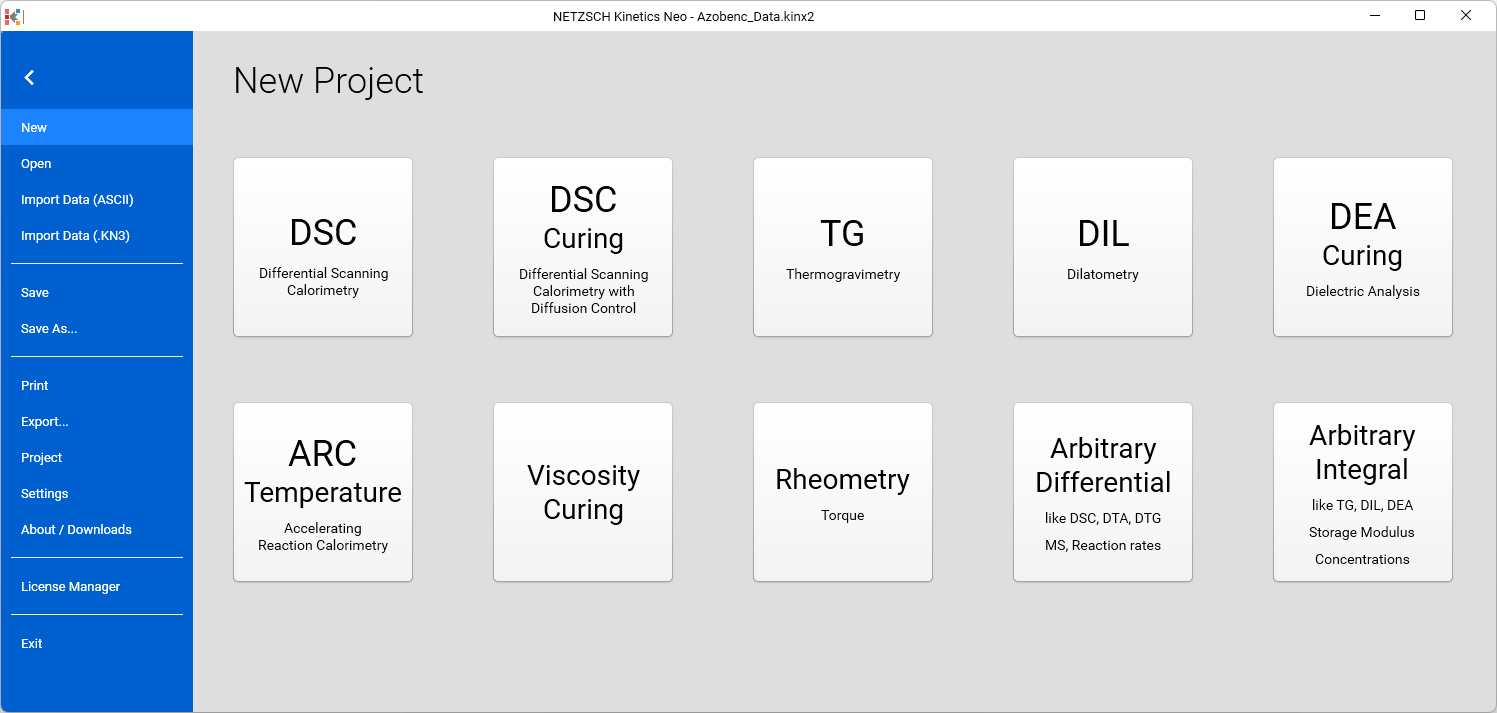
2. In the righ panel select Open. In Open Project Panel select Samples. In Windows open dialog select TGA_CaOxH2O_in_N2_Pressure directory.
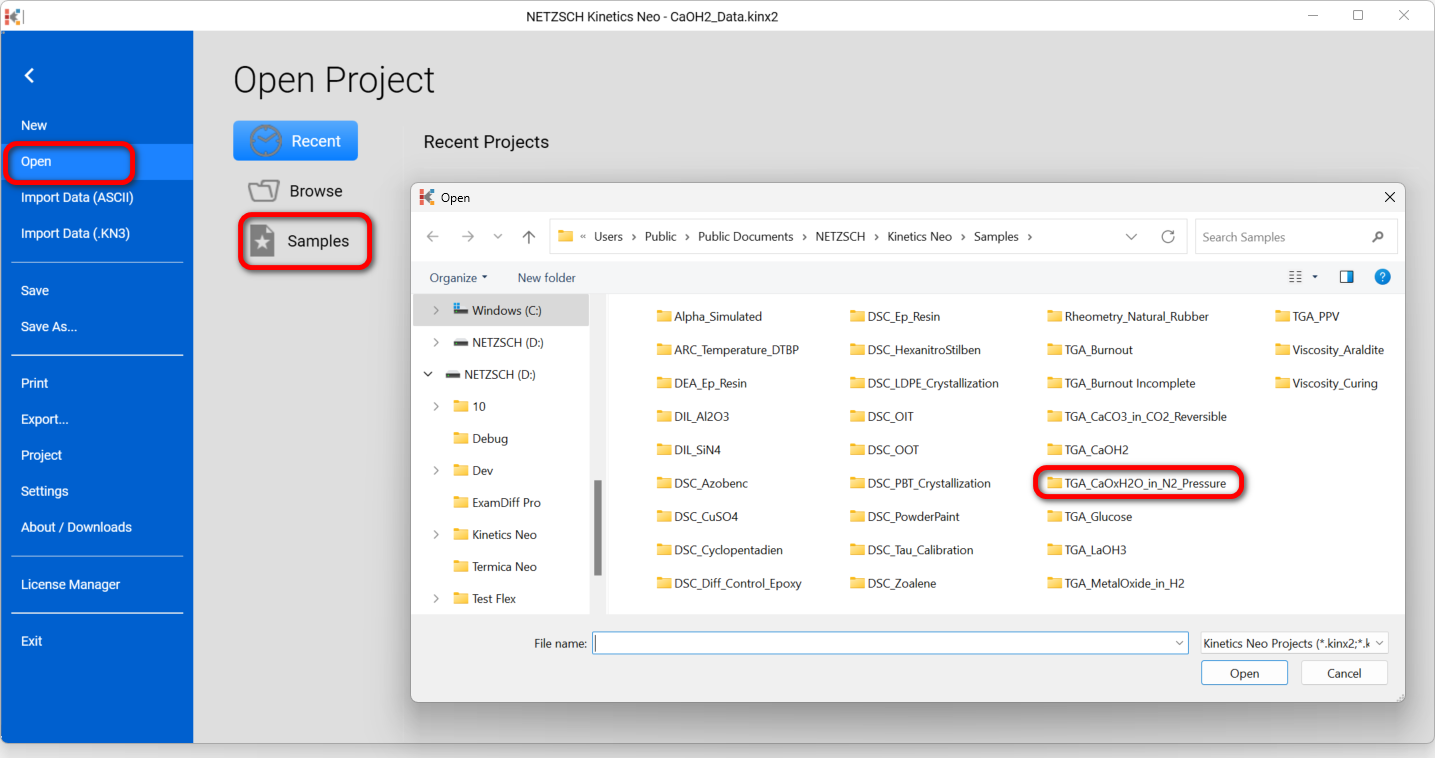
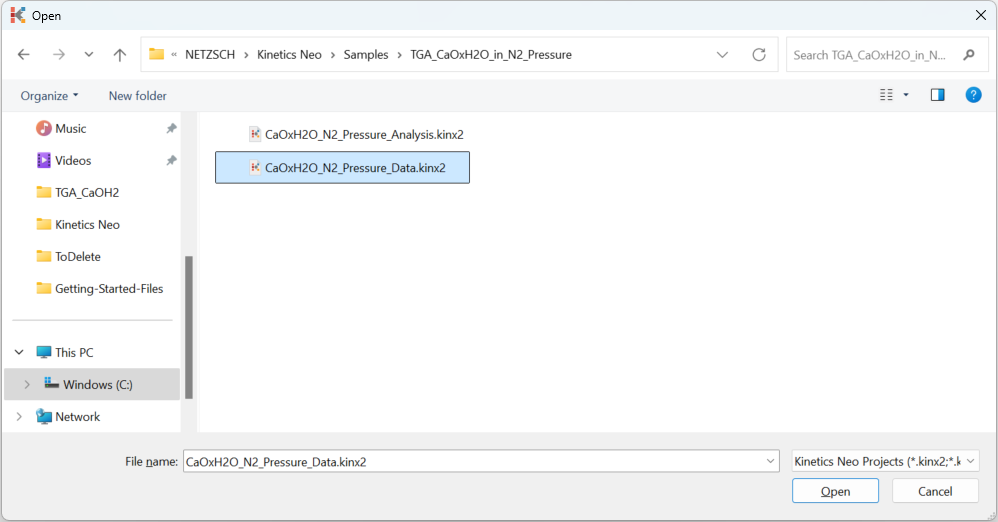
3. In TGA_CaOxH2O_in_N2_Pressure directory open the file CaOxH2O_N2_Pressure_Data.kinx2.
Check the Loaded Measurement Data
4. Check whether the TGA measurement data are loaded.
The Kinetics Neo sample project "CaOxH2O_N2_Pressure_Data.kinx2" already contains imported sample TGA measurement data files:
- ExpDat-CaOx_ohne_Deckel_2K-2.txt - heating rate 2 K/min, without lead.
- ExpDat-CaOx_ohne_Deckel_5.txt - heating rate 5 K/min, without lead.
- ExpDat-CaOx_ohne_Deckel_10Ka-2.txt - heating rate 10 K/min, without lead.
- ExpDat-CaOx_ohne_Deckel_20K-2.txt - heating rate 20 K/min, without lead.
- ExpDat_20221122-1-0.5MPa-Ca10.0431 Pt pan 20Kmin 8.txt - heating rate 20 K/min, 5 bar, Pt pan, 80 min
- ExpDat_20221121-2-1MPa-Ca10.4138 Pt pan 20Kmin 80m.txt - heating rate 20 K/min, 10 bar, Pt pan, 80 min
- ExpDat_20221116-3-2MPa-Ca10.619 Pt pan 20Kmin 80m.txt - heating rate 20 K/min, 20 bar, Pt pan, 80 min
- ExpDat_20221121-1-5MPa-Ca10.2767 Pt pan 20Kmin 80m.txt - heating rate 20 K/min, 50 bar, Pt pan, 80 min
If the project file is successfully loaded then these file names will be seen in the "Source Data" section on the left side. The data curves will be shown on the main chart.
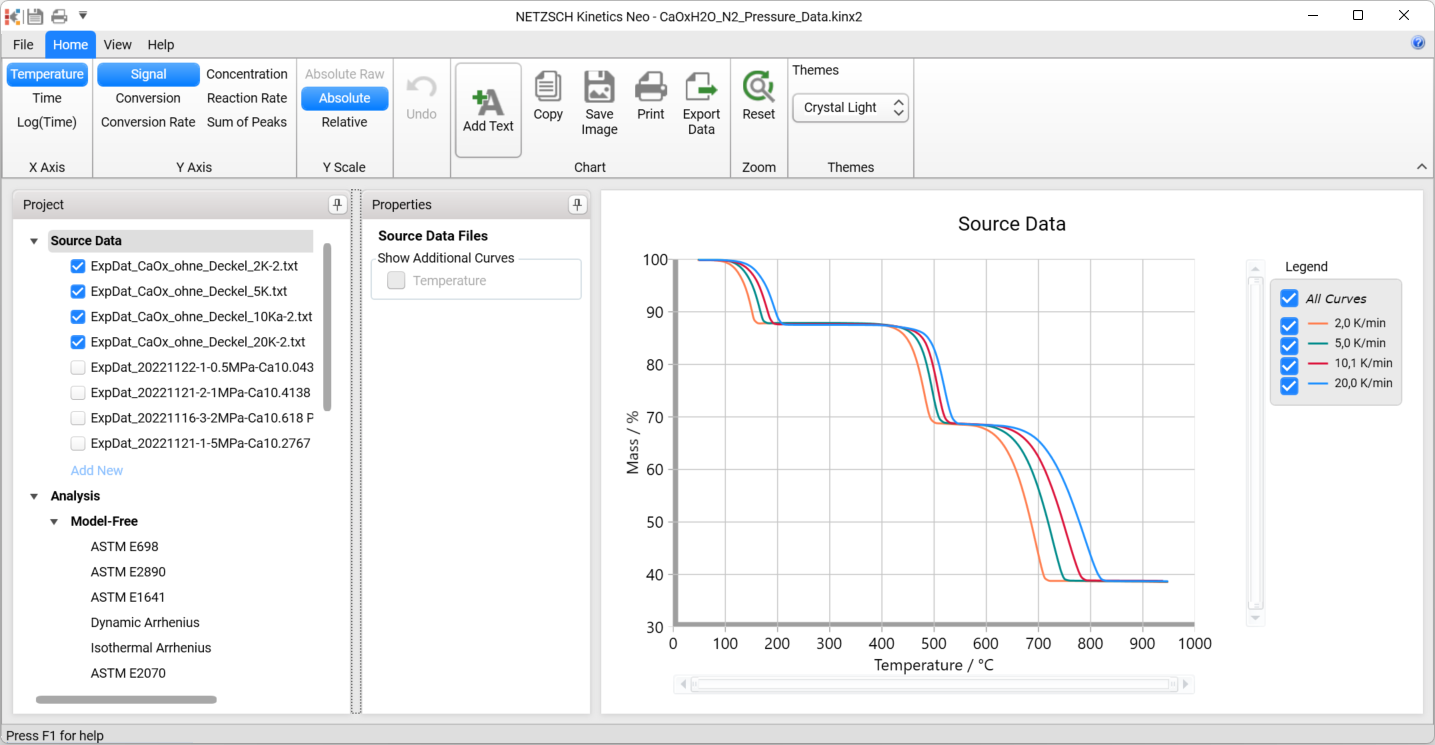
This file contains 8 data sources. The first 4 of them are shown (checkboxes on the left side of the files are on), they are the measurements with different heating rates at the normal pressure. The last 4 of them are switched off, they are the measurements for 20K/min under different pressures of Nitrogen.
Create Kinetic Model for the Normal Pressure of Nitrogen
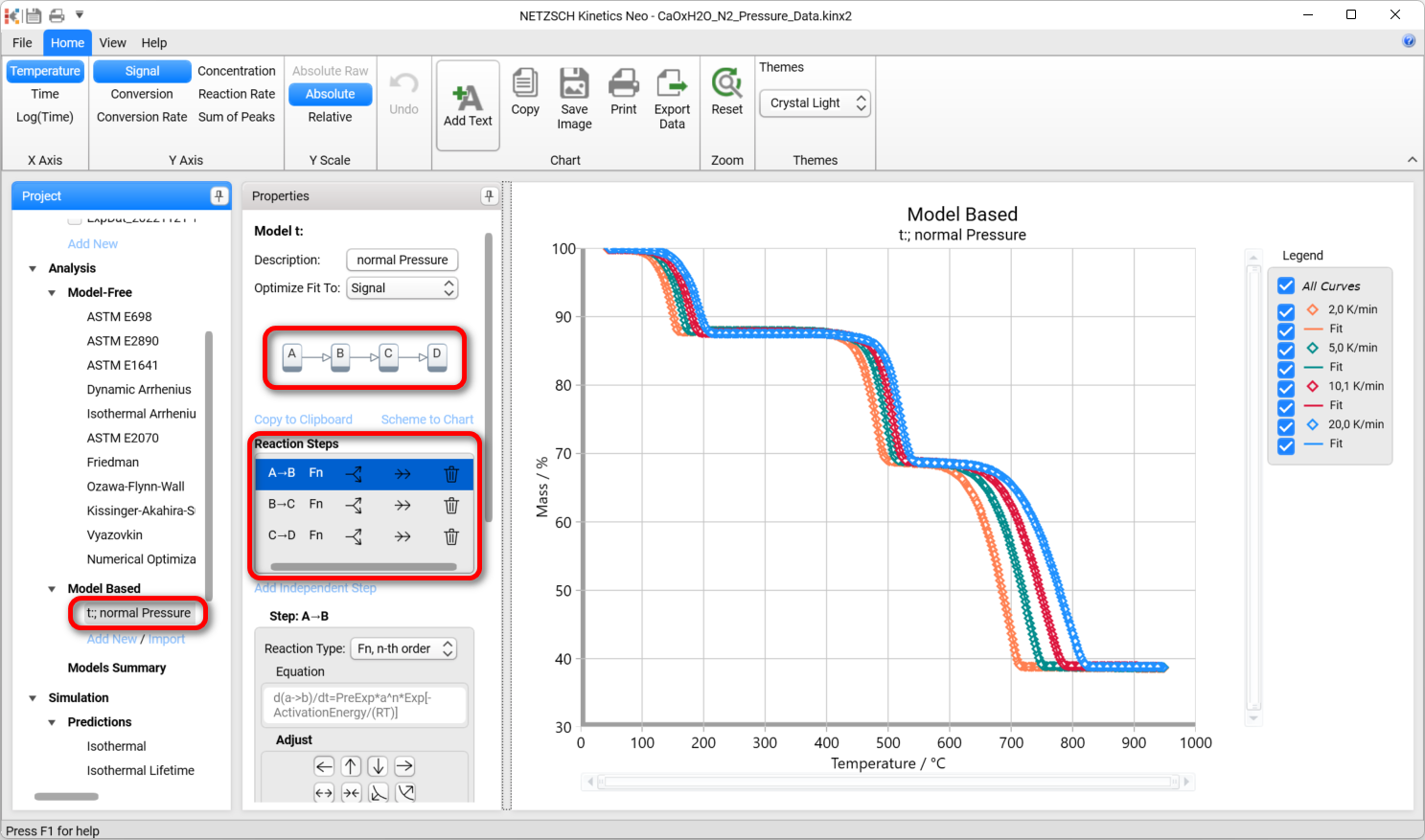
5. In the left Project panel go to Model Based section and select the existing three-step model t; normal Pressure, which is created for the data with normal pressure. All three steps are the Fn reactions.
Prepare Project for Pressure Analysis
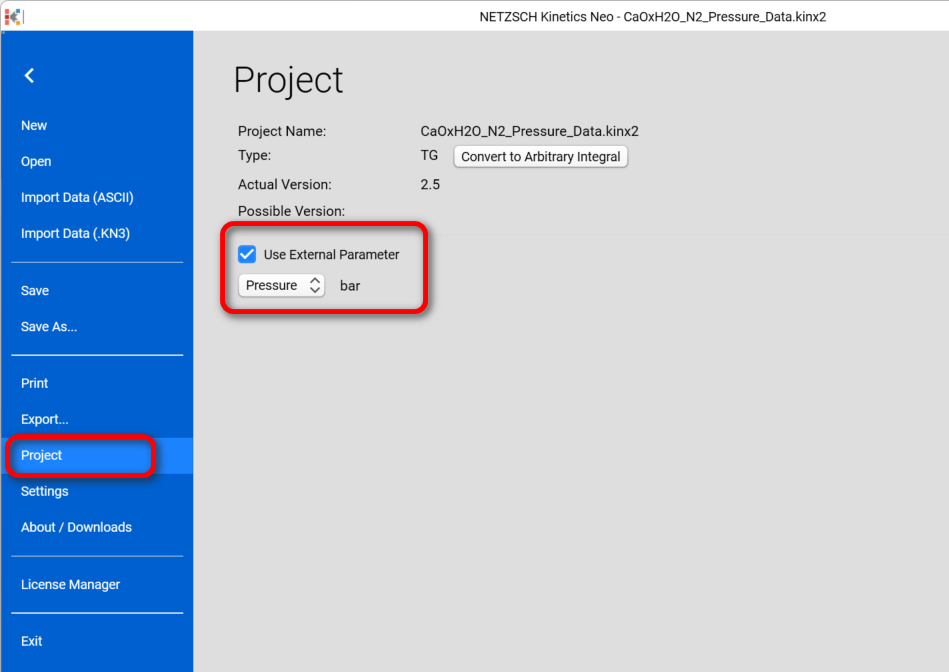
6. Go to File-Project, Check Use External Parameter and select Pressure
7. In the Source Data switch ON (check) all 8 data sources.
For the last file “ExpDat_20221121-1-5MPa-Ca10.2767 Pt pan 20K/min 80m.txt” set total Nitrogen pressure to 50 bar:
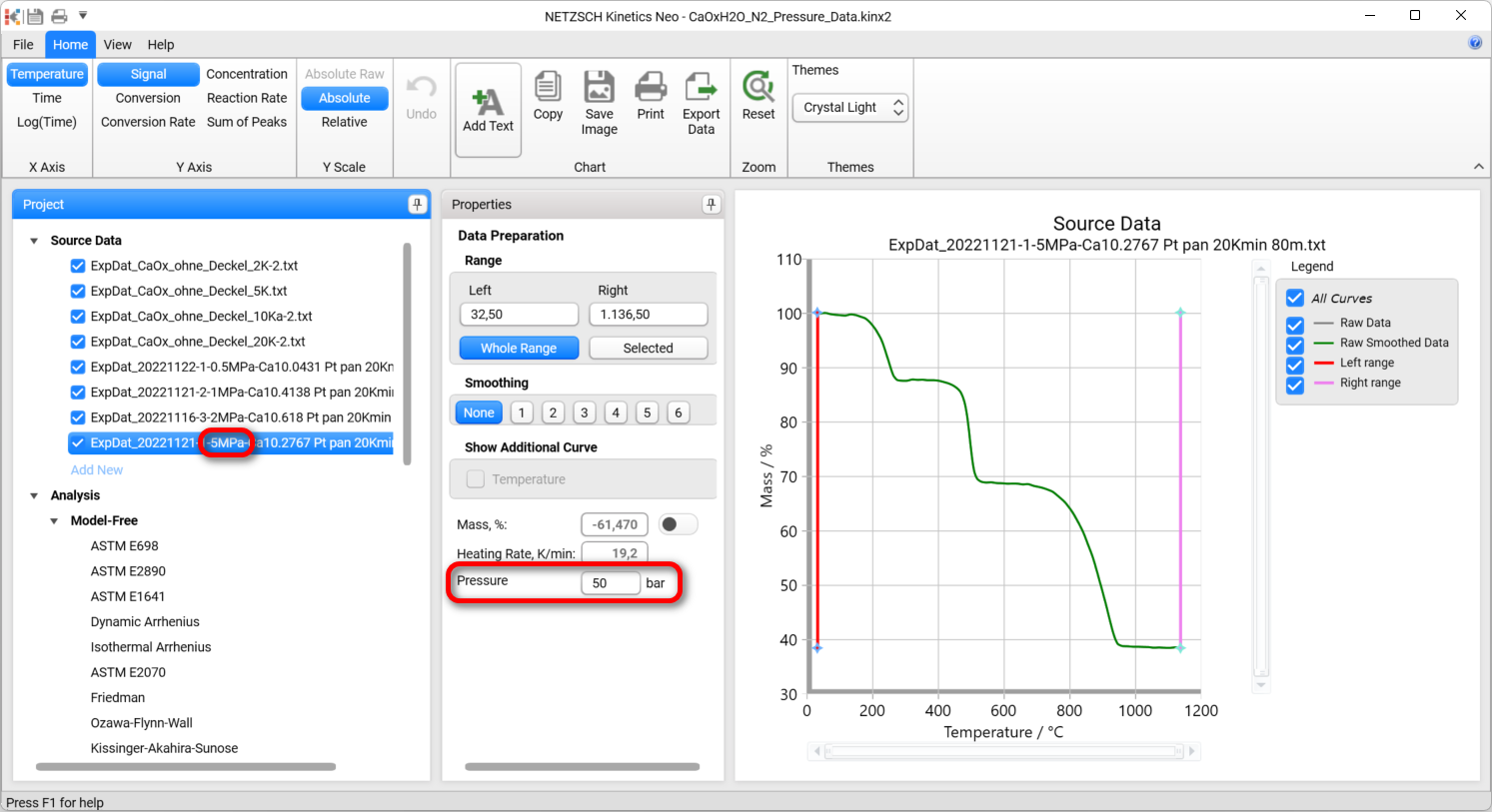
- For the file 0.5MPa set total Nitrogen partial pressure to 5 bar
- For the file 1MPa set total Nitrogen partial pressure to 10 bar
- For the file 2MPa set total Nitrogen partial pressure to 20 bar
The first four data sources have pressure 1 bar.
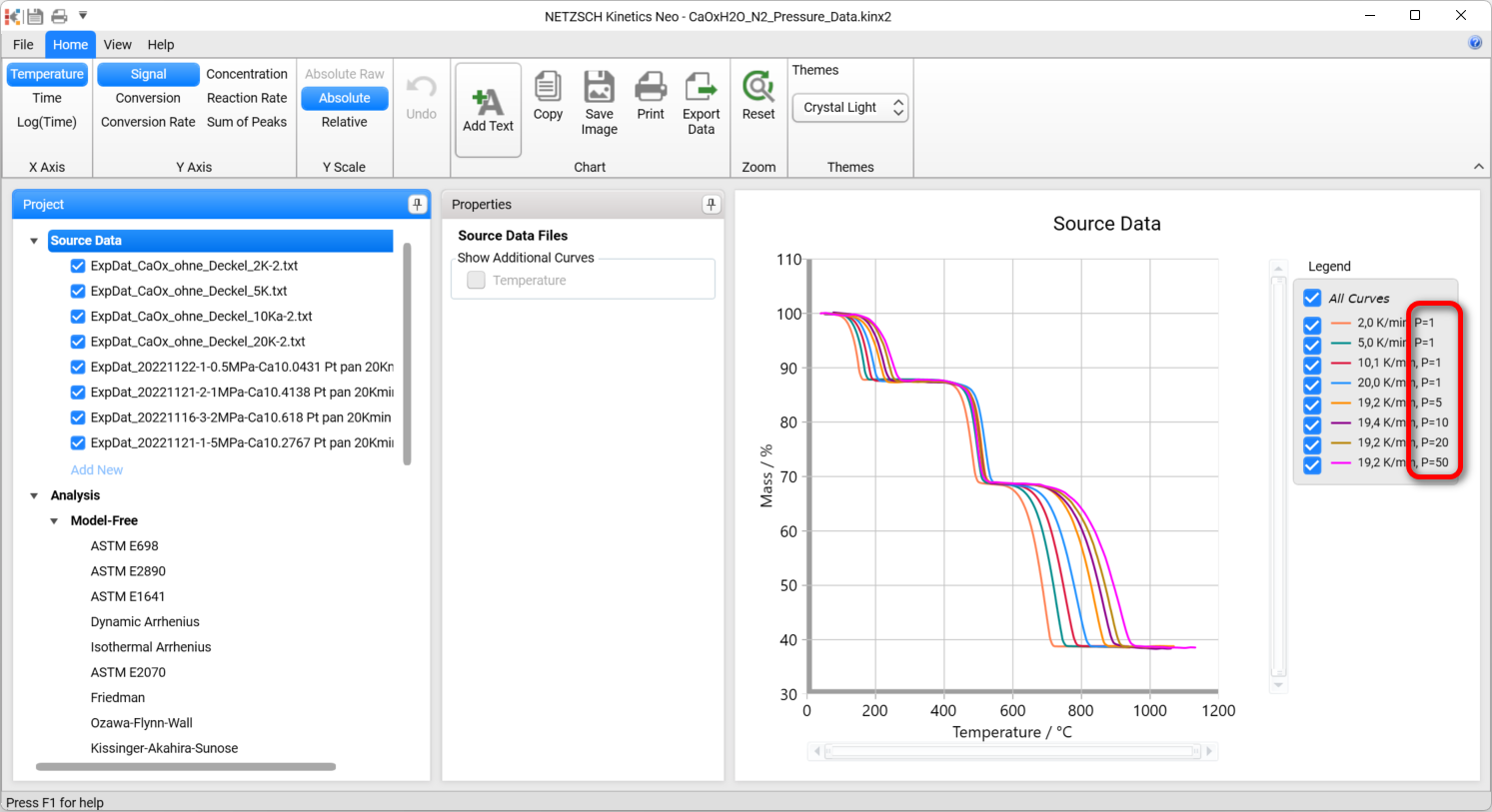
Select Source Data to show all experimental curves. The legend must contain pressure values.
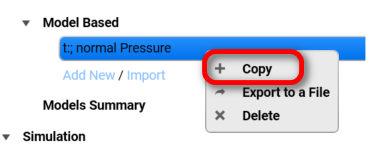
Create the copy of “normal Pressure” model by right mouse click on it and select Copy:
Give a new model a description All Pressures
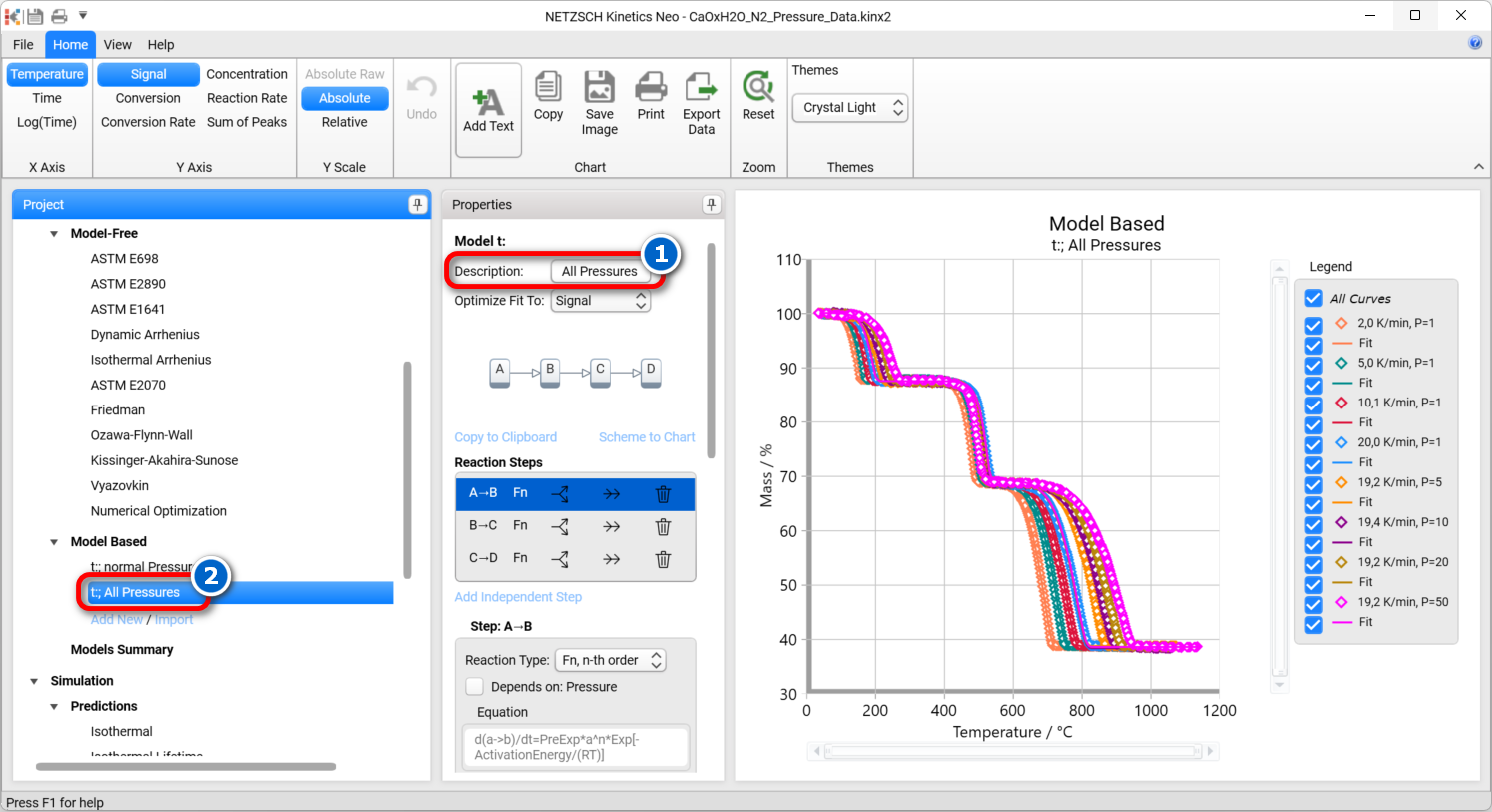
Create Kinetic Model with Pressure-Dependent Steps
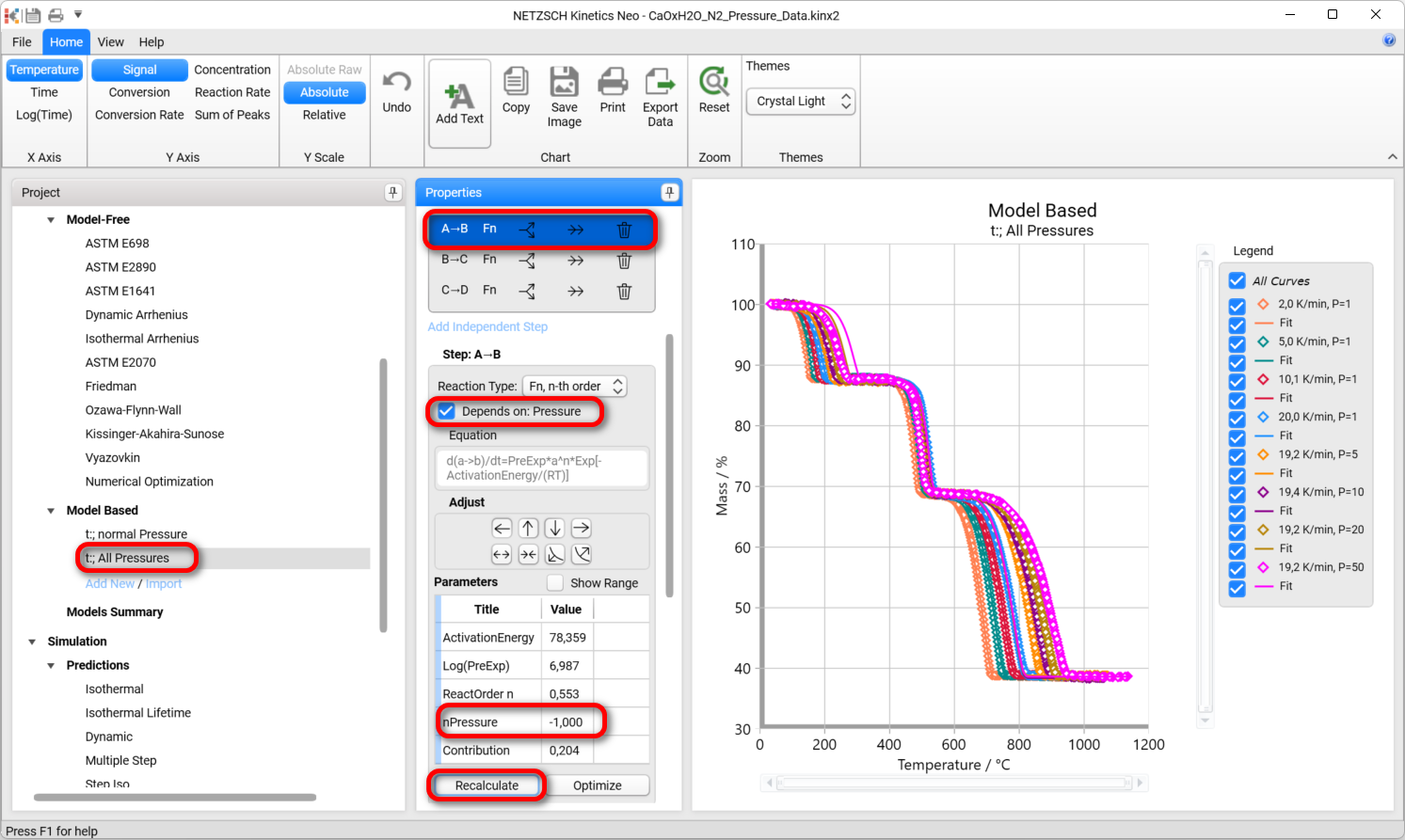
8. In the Properties Panel for the first step check Depend on Pressure checkbox, set pressure parameter nPressure to -1, then set and click Recalculate. Now you see dependence on pressure for the first step.
Please do the same for the third step:
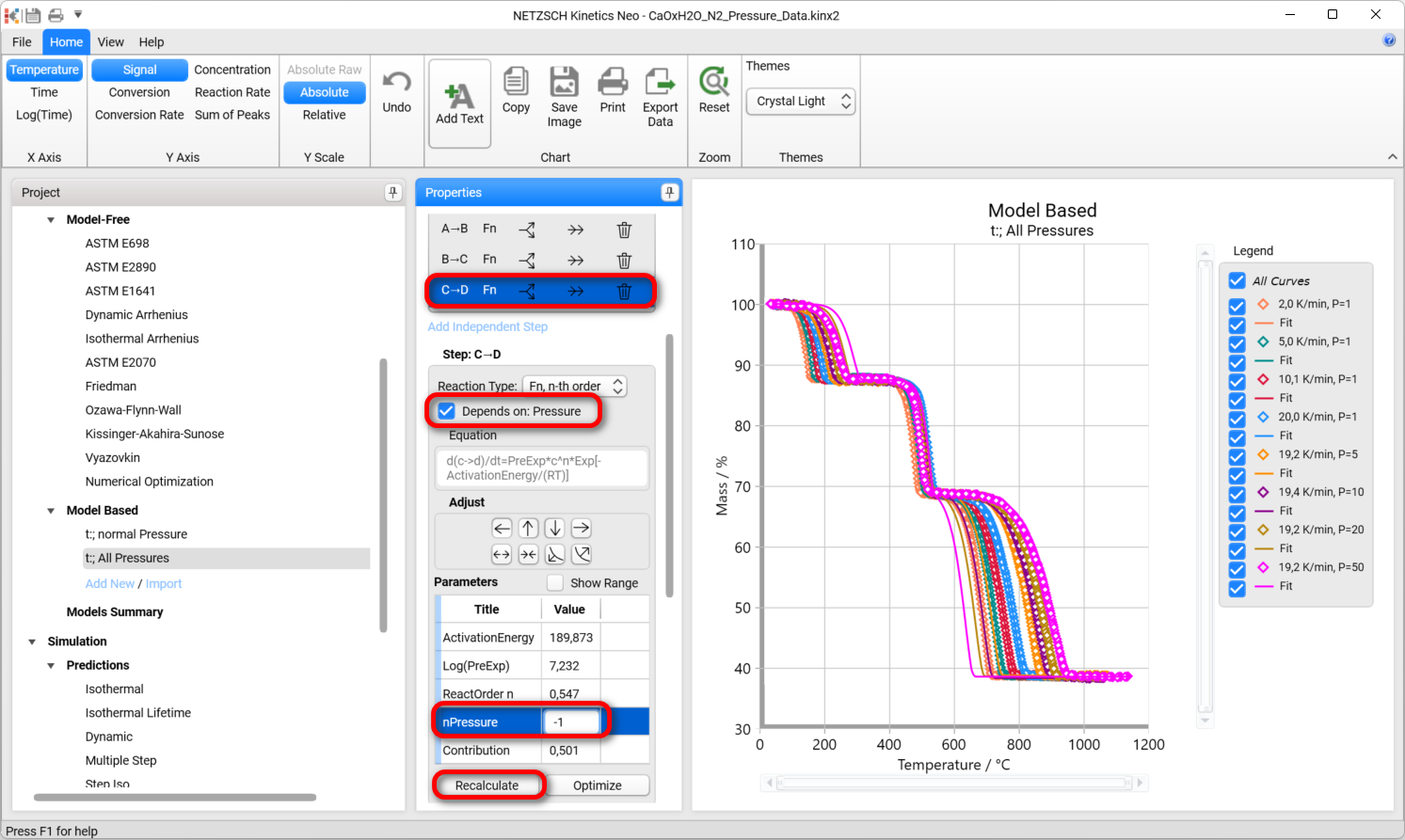
The second step is non-reversible reaction, and therefore it is independent on pressure. Keep it without checking of pressure dependence.
Value “-1” for pressure comes from theory, because the diffusion coefficient is proportional to 1/P.
9. Now you can make optimization. The optimization can be done stepwise for each reaction step (faster, but with many clicks) or for the total model (slow calculation, but with less clicks).
For stepwise optimization select the third step C → D and click Optimize only for this step:
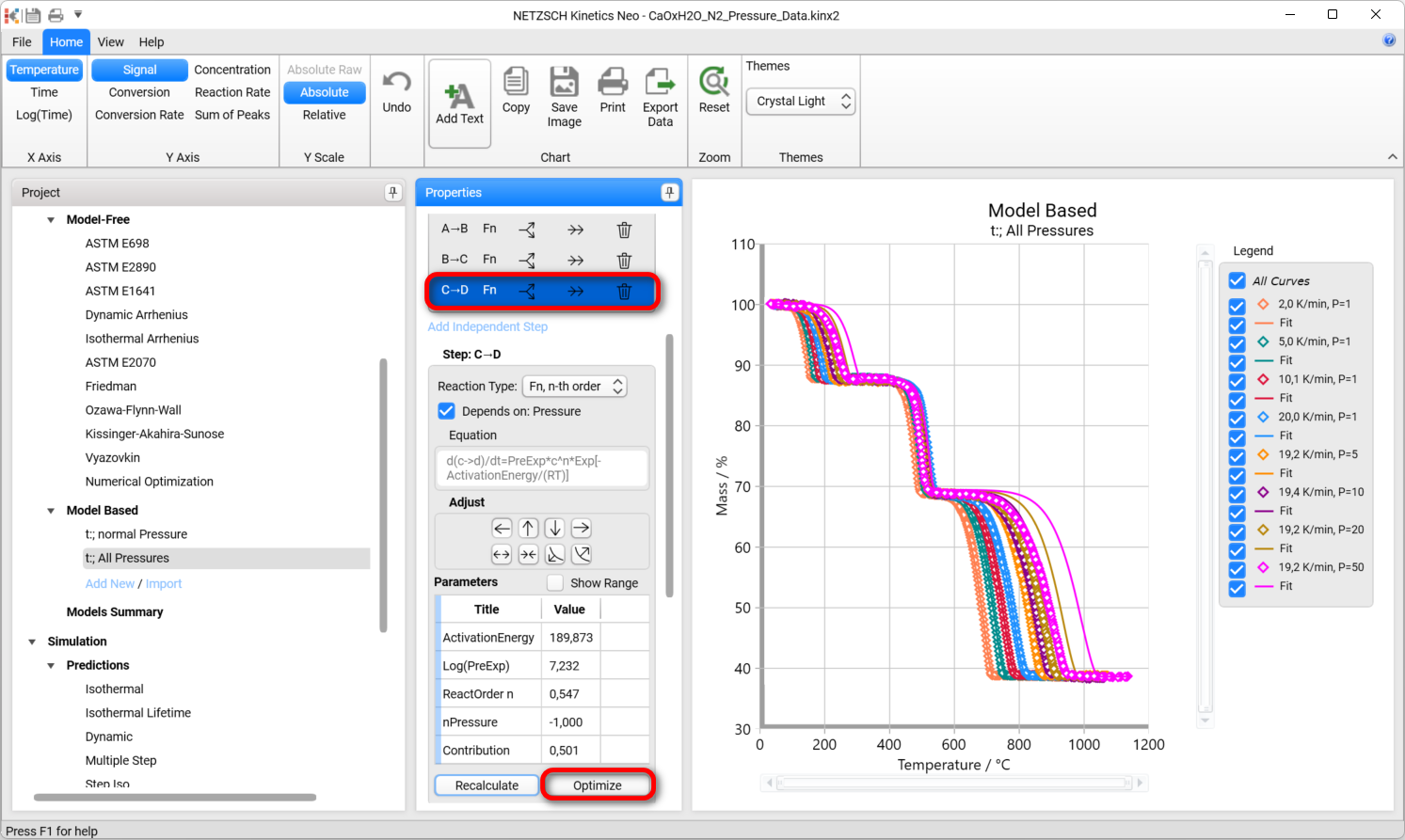
Then please do the same for the first step.
For total optimization use Optimize button for the whole model in the botton of Properties panel in section Model Operations.
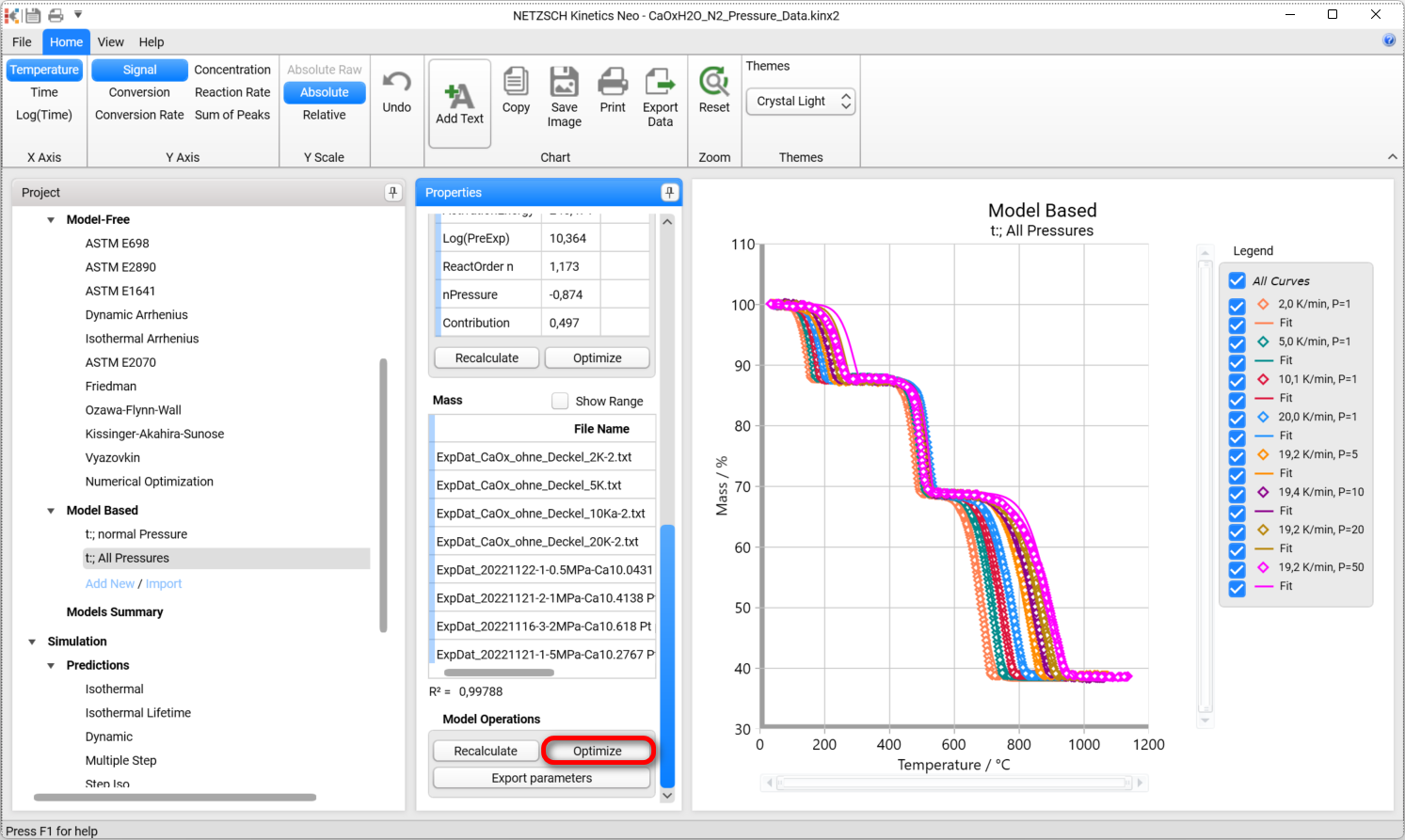
After complete optimization, the final model is created with dependence on both temperature and pressure.
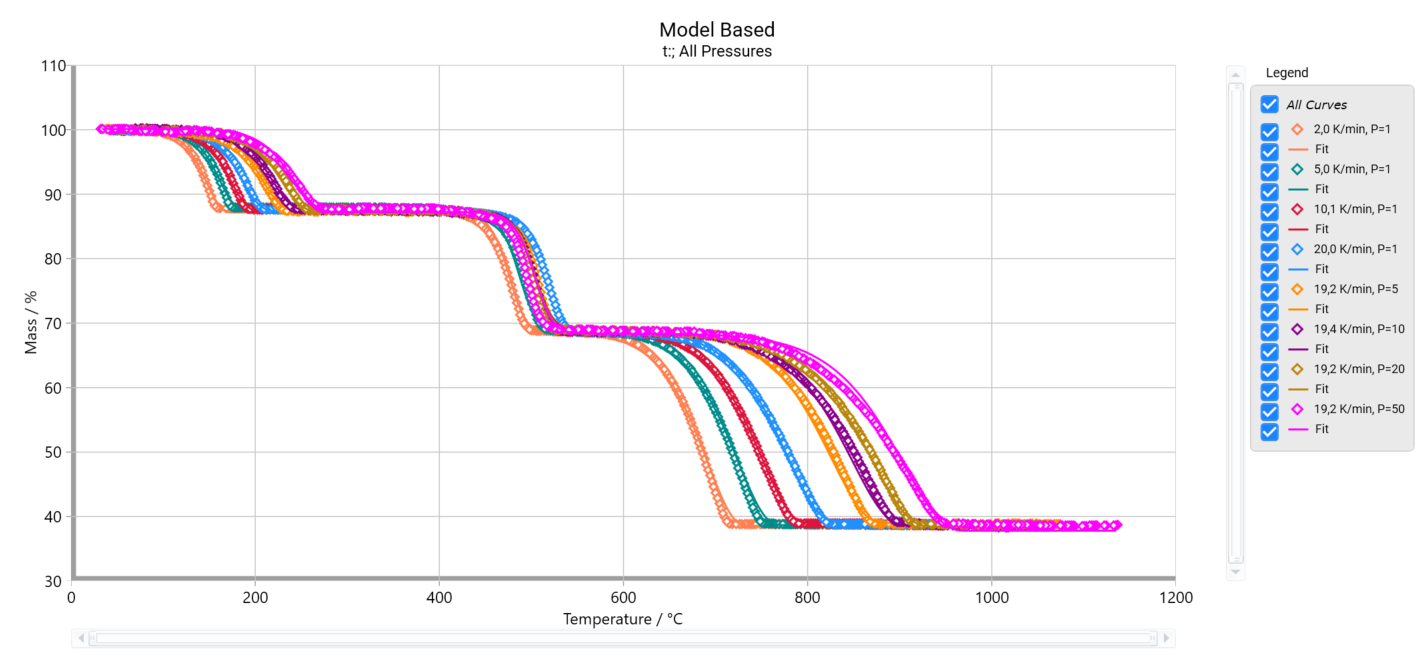
Predictions for Given Pressure of Inert Gas
Predictions can be done for different pressures by the same way like for active gaseous reactant for non-reversible reactions.