How to Analyze Reversible Reaction with Reactive Gaseous Reactant
Thermal decomposition of calcium carbonate in atmosphere with carbon dioxide
Introduction
In reversible reactions A⇌B, two chemical reactions occur simultaneously.
The first one is the forward reaction A → B, the second one is the backward reaction is B → A.
In the closed systems the concentrations of A and B are in equilibrium, where the rates of forward reaction and backward reaction are equal.
However, in thermal analysis like DSC or TG, the system is open, and no equilibrium happens. The total reaction rate of measured data is the difference between the forward reaction and backward reaction:
Rection rate total=Reaction rate forward – Reaction rate backward
Reaction type FnR describe the total reaction rate where both forward and backward reactions are reactions of n-th order:

To separate the backward reaction from the forward reaction for analysis, we need several measurements, where for the same temperature total reaction rate is different.
The easiest way for this is to perform the measurement of reversible reaction in reactive atmosphere, where reactive gas has the influence either on forward reaction only or on backward reaction only.
Influence of CO2 on Decomposition of CaCO3
Decomposition of calcium carbonate in the presence of carbon dioxide is the reversible reaction:
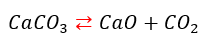
The rate of forward reaction is independent from pressure. The backward reaction has the active gaseous reactant CO2. The rate of backward reaction is higher for higher partial pressure of CO2. The cumulative reaction becomes to be slower:

Where P is the partial pressure of carbon dioxide, and np is the pressure parameter.
Load the Sample Data Project
1. Start Kinetics Neo. Click on "Open" in the menu on the left side, then select "Samples".
2. Select directory TGA_CaCO3_in_CO2_Reversible and file with data CaCO3+CO2_Data.kinx2
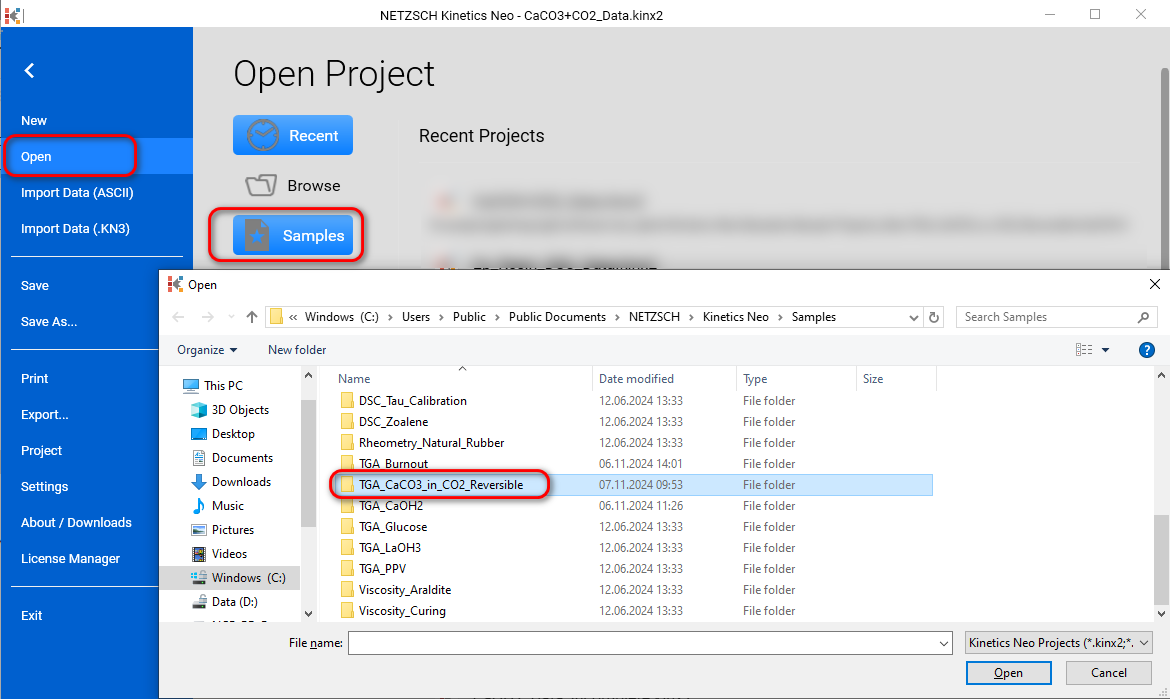
3. Open File with Data CaCO3+CO2_Data.kinx2
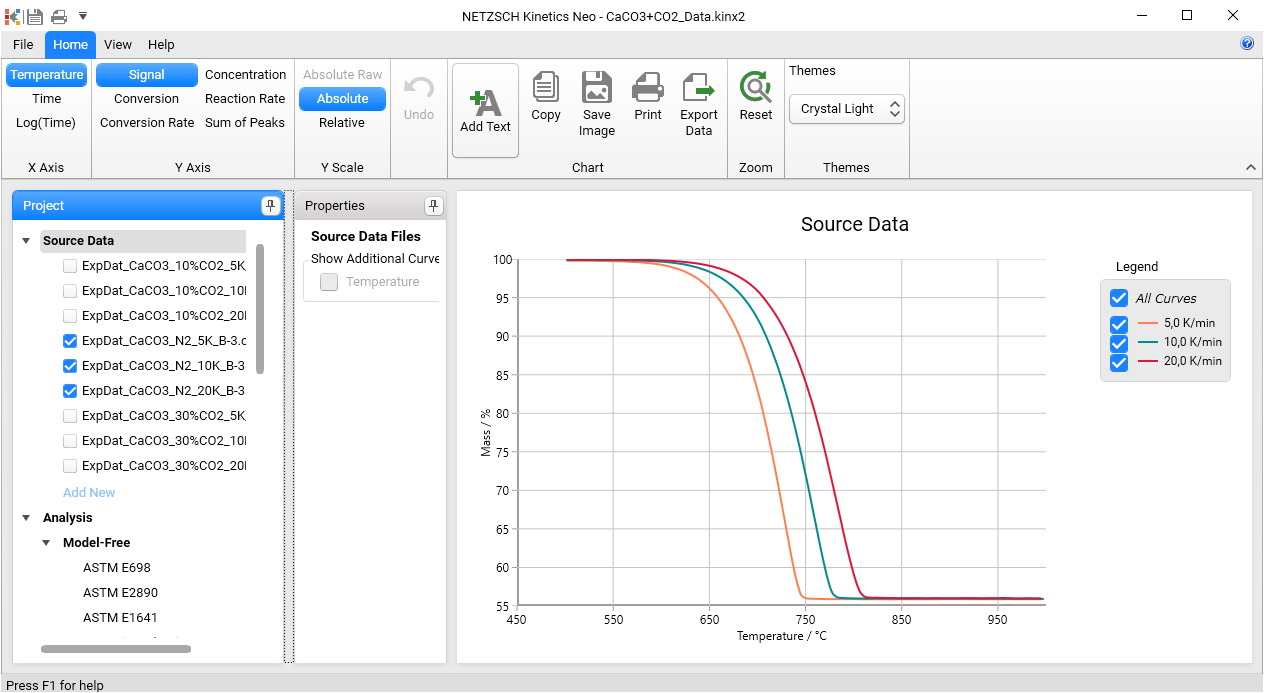
This file contains 9 data sources. The middle 3 of them are shown, they are the measurements with different heating rates in the pure nitrogen in the absence of CO2. The first 3 of them and the last 3 data sources are switched off, they are the measurements under different partial pressure of CO2.
Create Kinetic Model for Pure Nitrogen Atmosphere
Go to Model Based section and select the single-step model, which is created for the data under Nitrogen without CO2. This is one-step model of n-th order reaction. It is created by the same way like in our example for decomposition of Ca(OH)2 (link to https://kinetics.netzsch.com/en/learn/how-to-tga-1-step-caoh2 )
Now you have the kinetic model depending on temperature only:
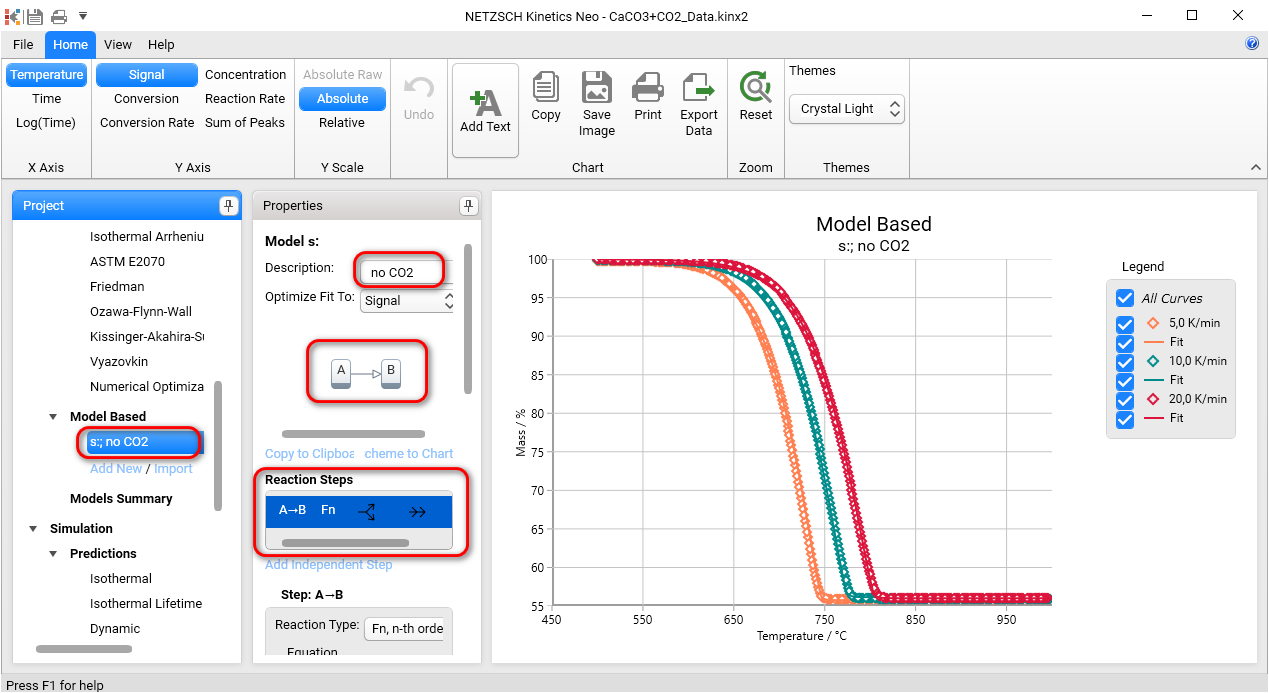
In the next chapter the pressure dependence will be added and analyzed.
Prepare Project for Pressure Analysis
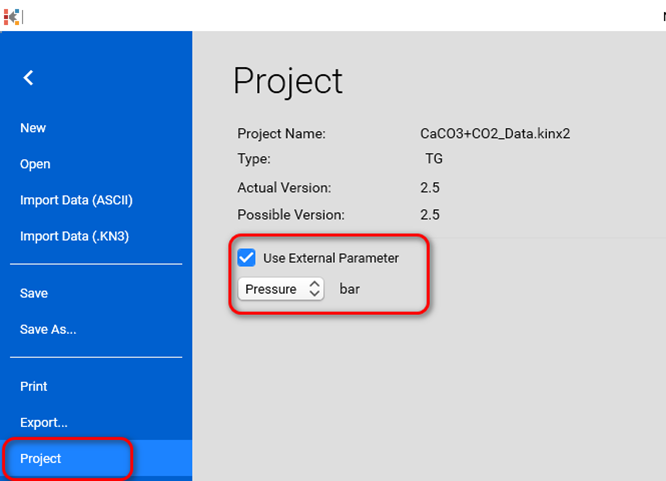
For the current project Go to File-Project, Check Use External Parameter and select Pressure
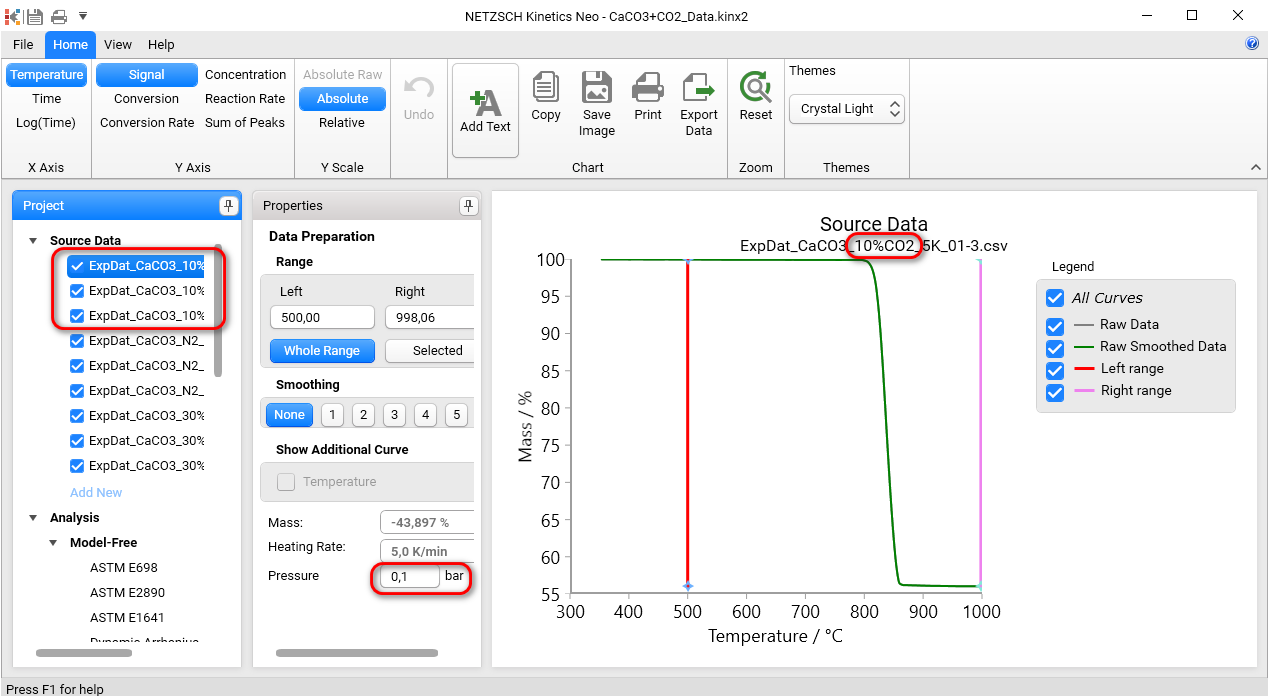
In the Source Data select a data source file contained 10%_CO2 in the file name and set CO2 partial pressure to 0.1 bar.
Repeat this for all data source files named 10%_CO2.
For the files with 30%_CO2 set CO2 partial pressure to 0.3 bar.
For the files with N2 set CO2 partial pressure to 0 bar.
Select Source Data to show all experimental curves. The legend must contain pressure values in bar units.
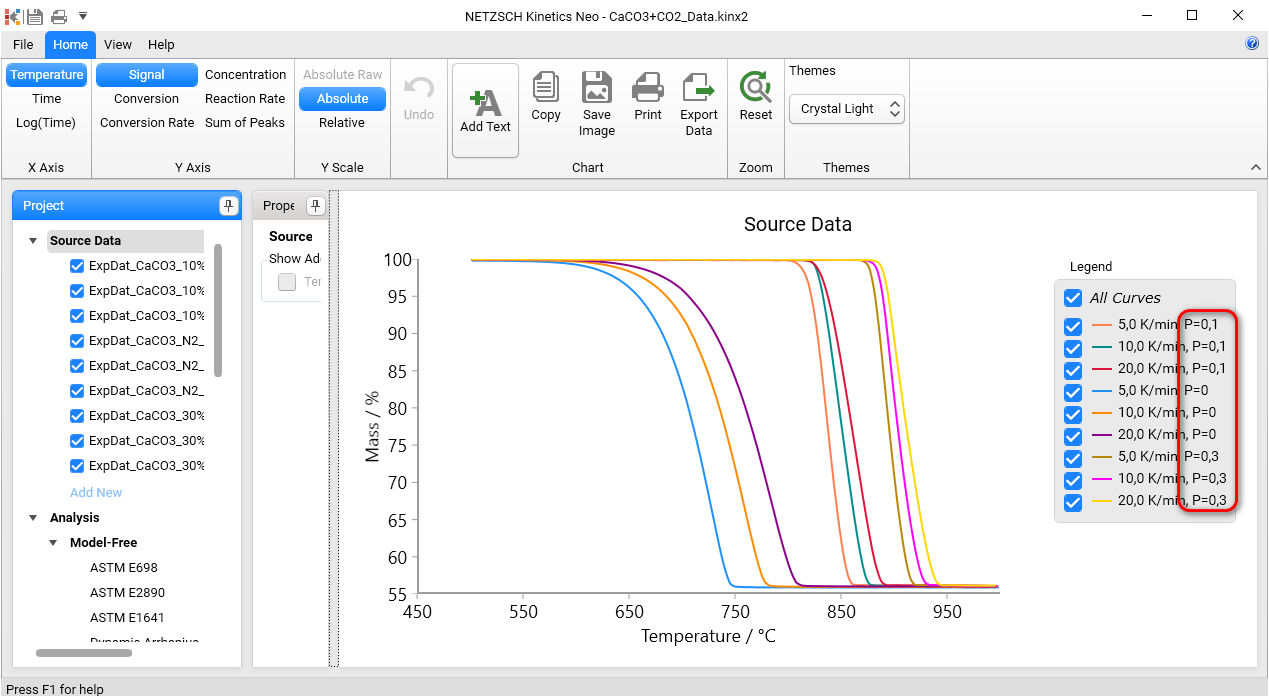
Create Reversible Kinetic Model with Dependence on Partial Pressure of CO2
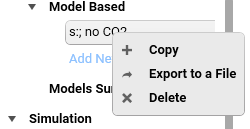
Create the copy of “no CO2” model by right mouse click and name it “with CO2”:
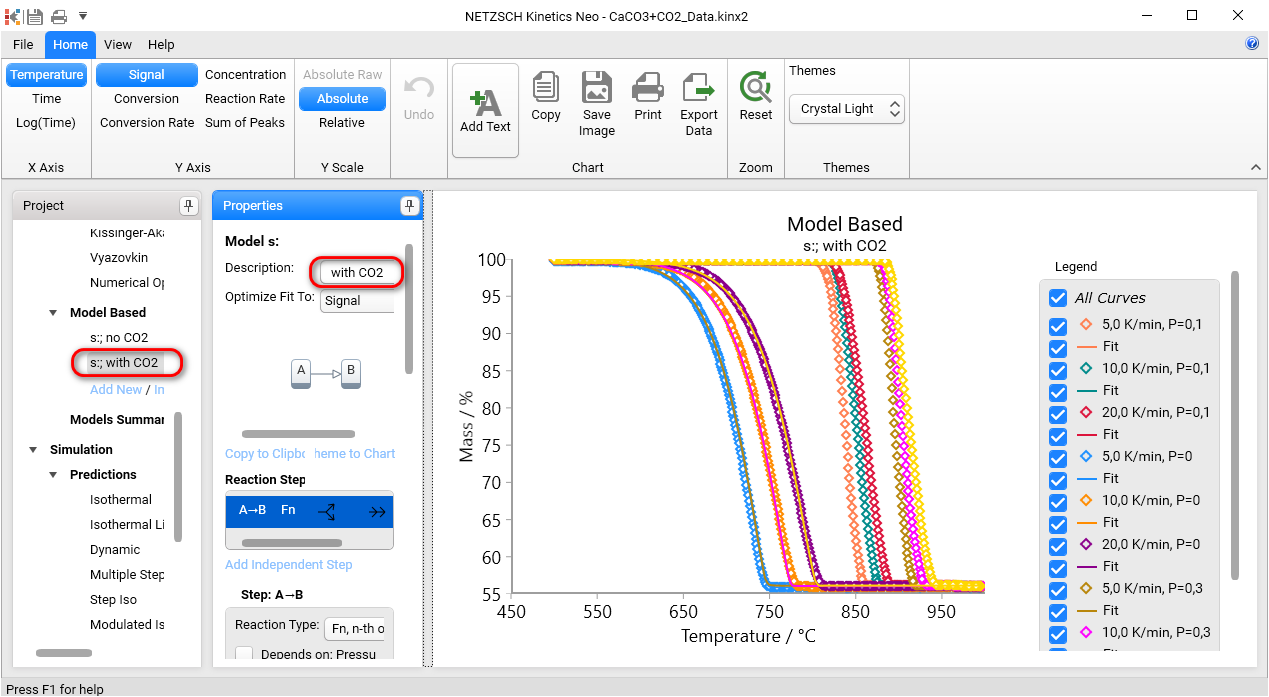
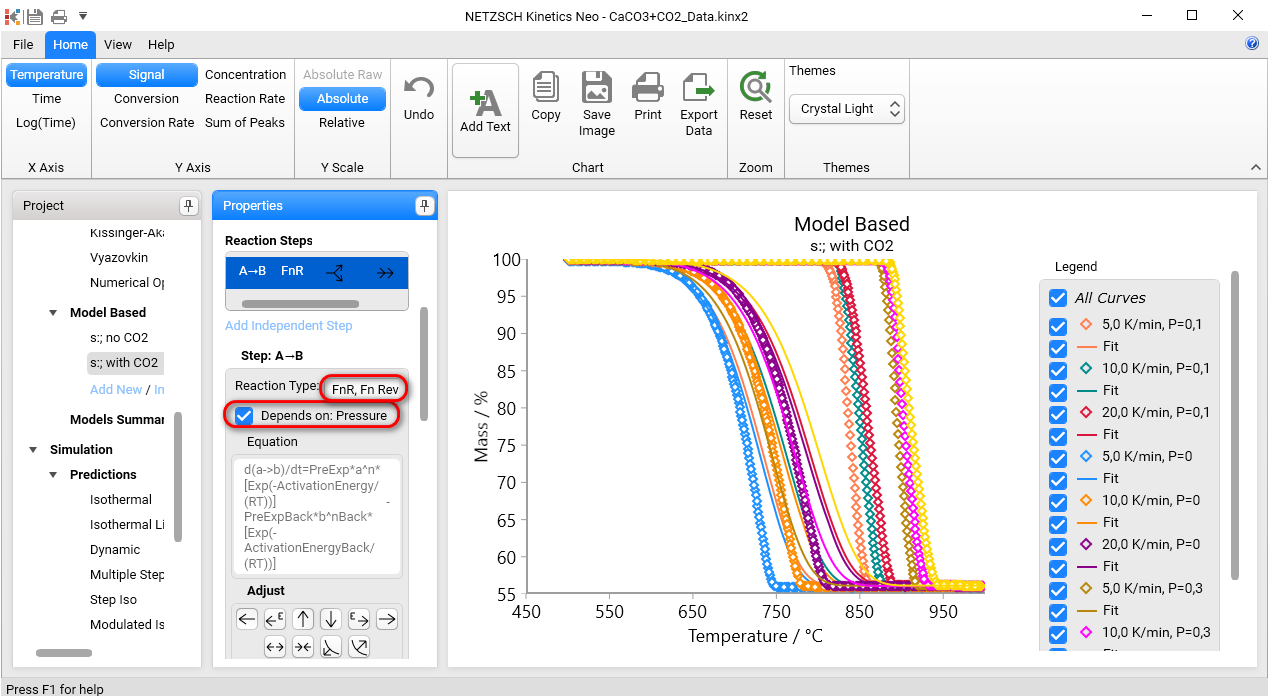
In the Properties Panel select reversible reaction typeFnR and check Depend on Pressure checkbox and click Recalculate. Now you see the dependence on pressure.
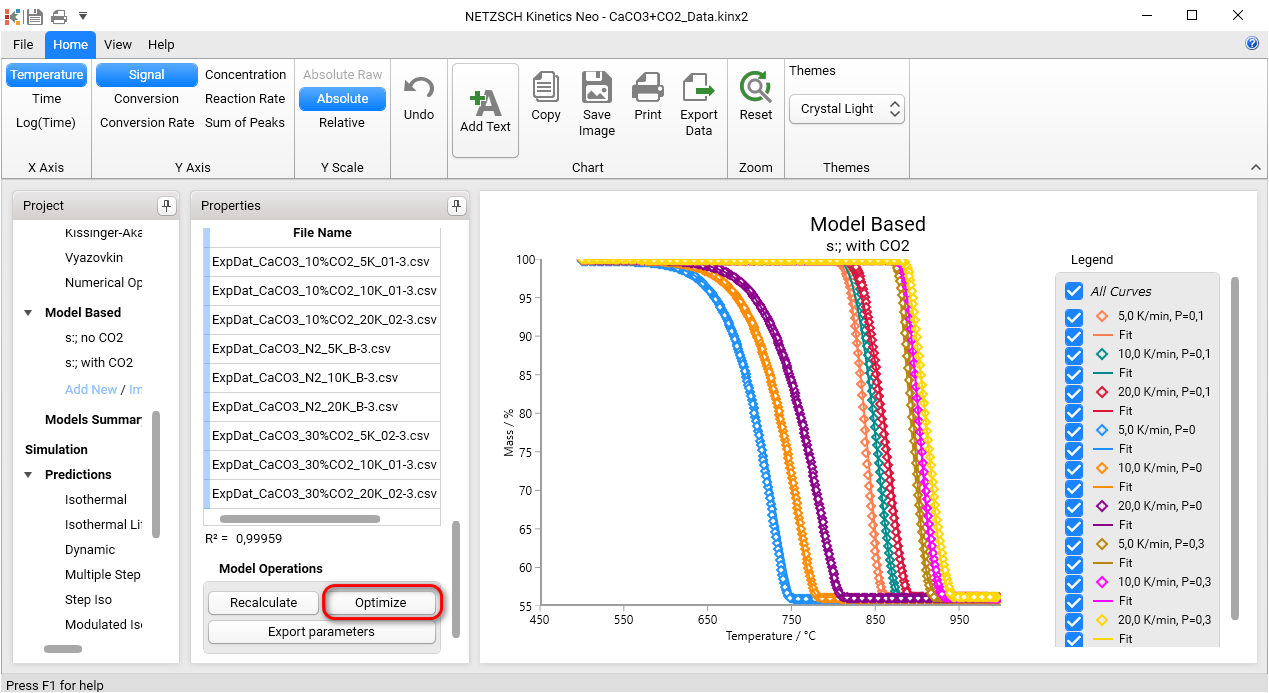
For optimization of parameters in Properties Panel go to Model Operation group and click on Optimize:
Predictions for Given Partial Pressure
Predictions can be done for different partial pressures of CO2.
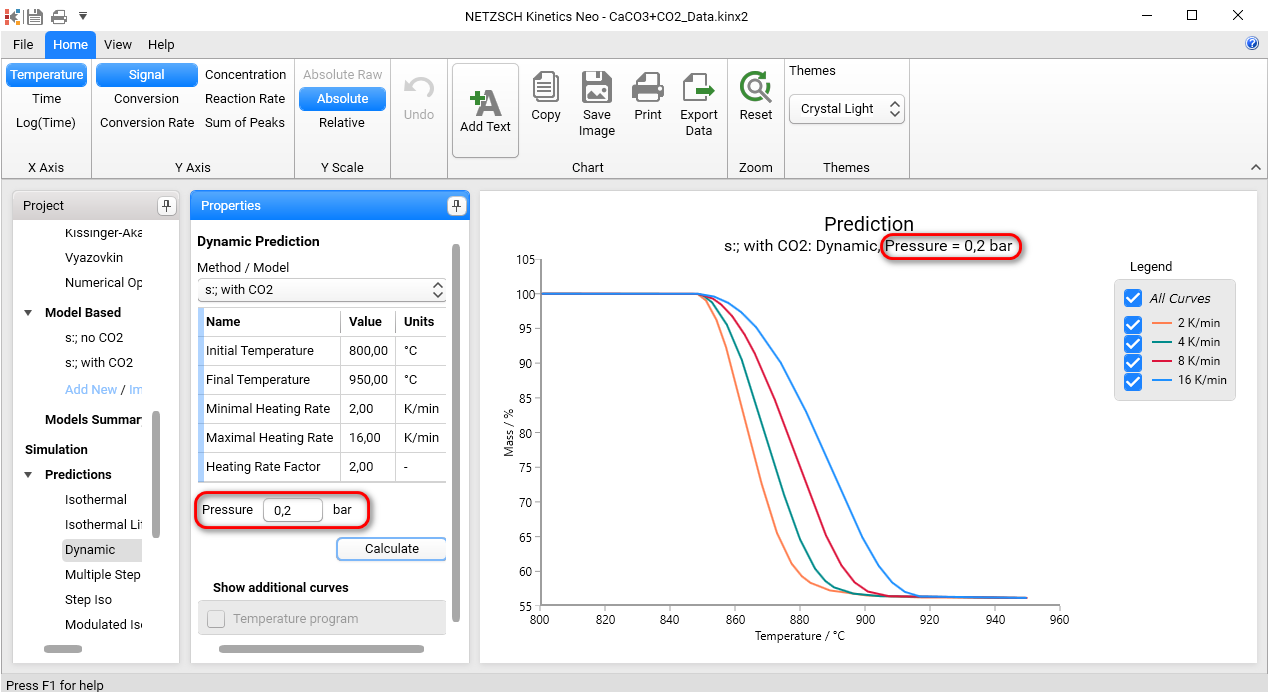
Select Dynamic Predictions, In Properties Panel set temperature parameters and Pressure value for simulation. Click Calculate. Result is simulated at given partial pressure of reactive gaseous component.
Next picture presents the simulations of decomposition at the partial pressure 0.2 bar: