
How to Calculate Conversion for Incomplete Measured Data
Incomplete Measured Data
Conversion (or Degree of Conversion) is the current property of reaction, which shows what part of reactant is already converted to product. The value of it is 0 before reaction start, and 1 after the end of reaction, where reactant is completely converted to the product. The value can be also measured in percents from 0% to 100%.
The calculation of conversion uses the ratio of the partial measured effect of reaction at given time point to the total effect of reaction.
Conversion can be easy calculated for the measurements, where reaction is finished completely at the final point of the measurement:
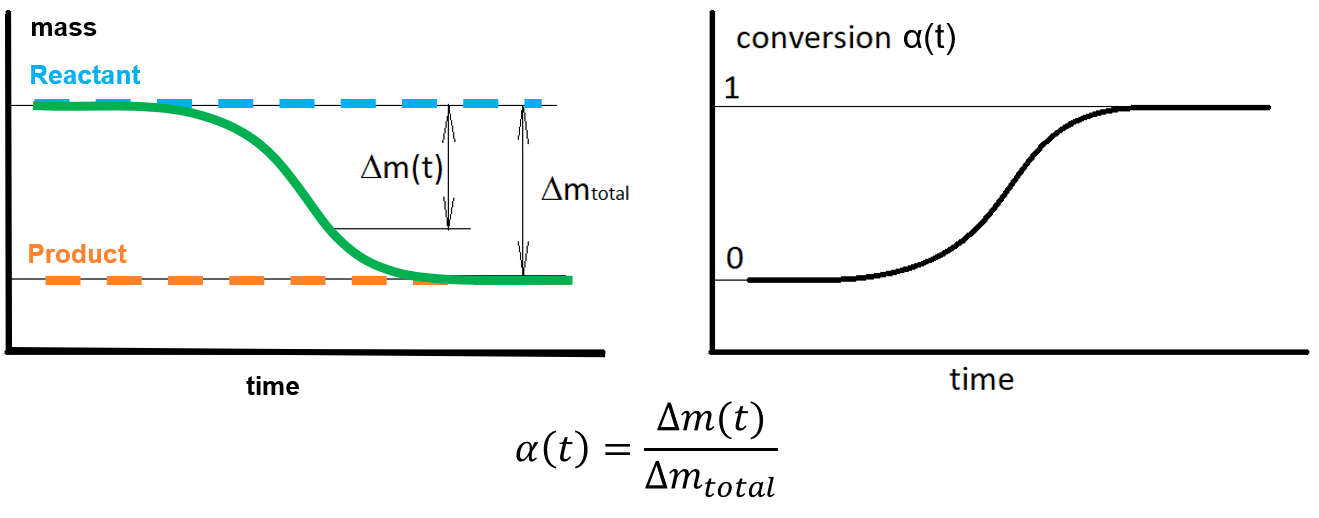
However, sometimes the final part of reaction cannot be measured, and the final point of the measurement does not correspond to the conversion value 100%. For example, for curing reaction with diffusion control reaction goes very slow after vitrification and almost cannot be registered by DSC.
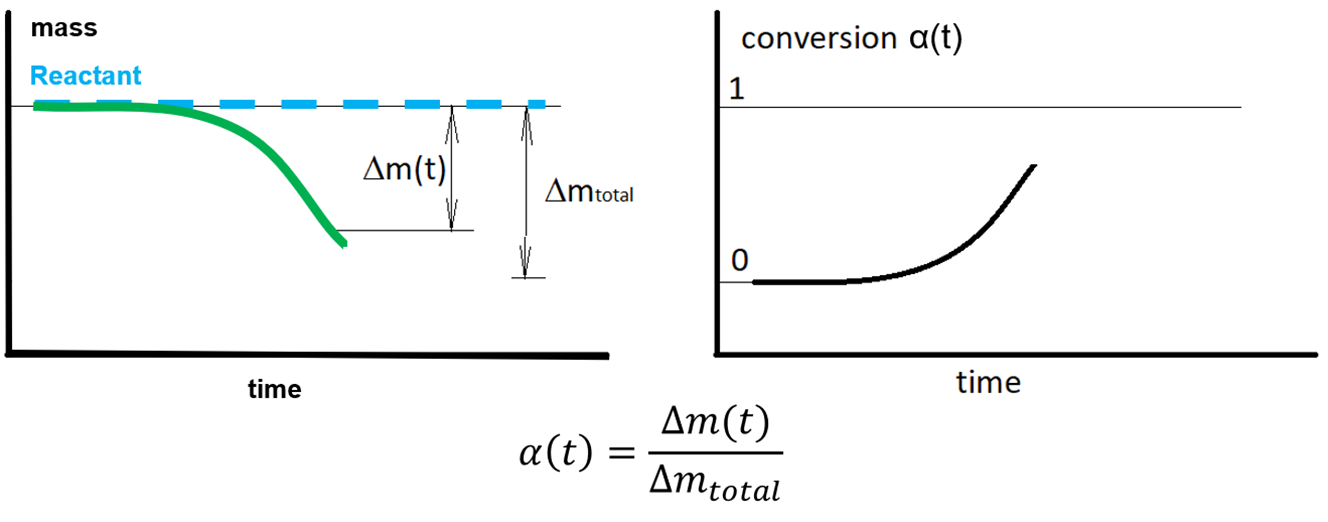
If the data are not measured completely then the total effect is not measured, and this could be the problem for the calculation of conversion.
But in some cases, the total effect can be sometimes estimated by other measurements or methods and this value can be used for calculation of conversion value.
Example of incomplete TG measurement, where total mass loss Δmtotal is found by other methods:
Set Total Effect for Incomplete Data
This calculation of conversion for incomplete data is possible in Kinetics Neo since Version 3.0
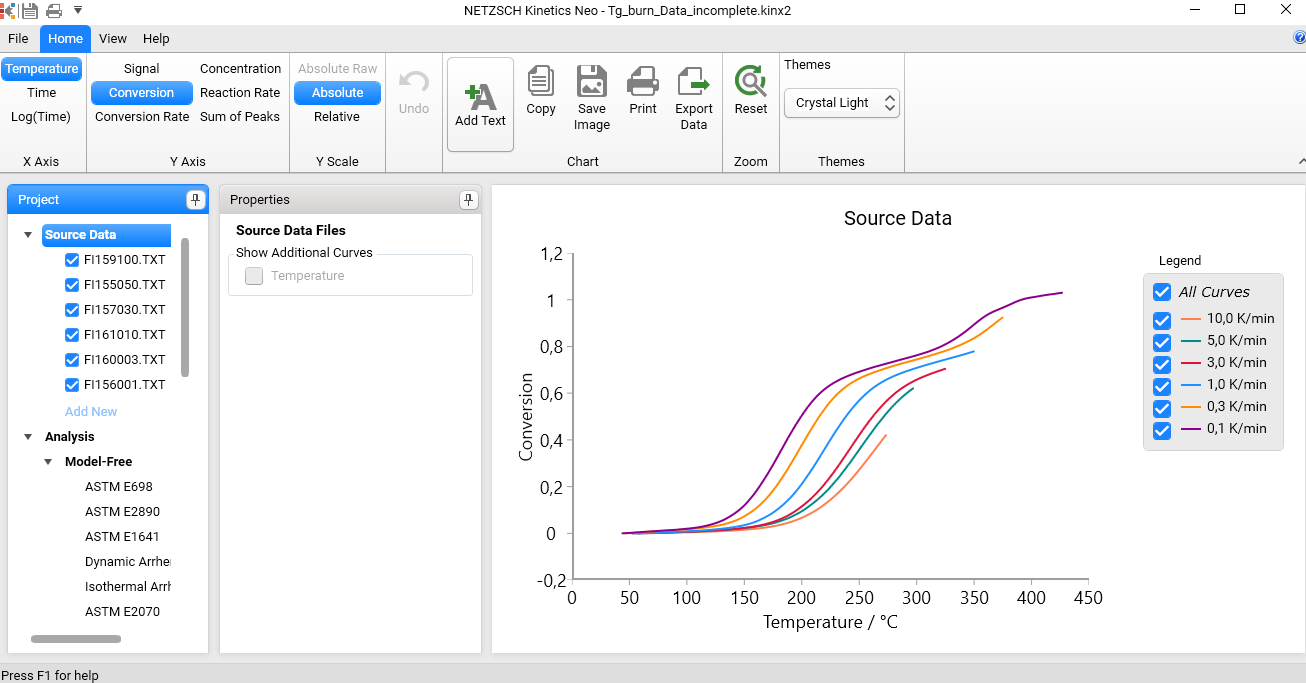
In the following example the sample project TG_burn_Data_Incomplete.kinx2 is used. Here the residual mass at the last measured point is different for all measurements, where all measurements are incomplete.
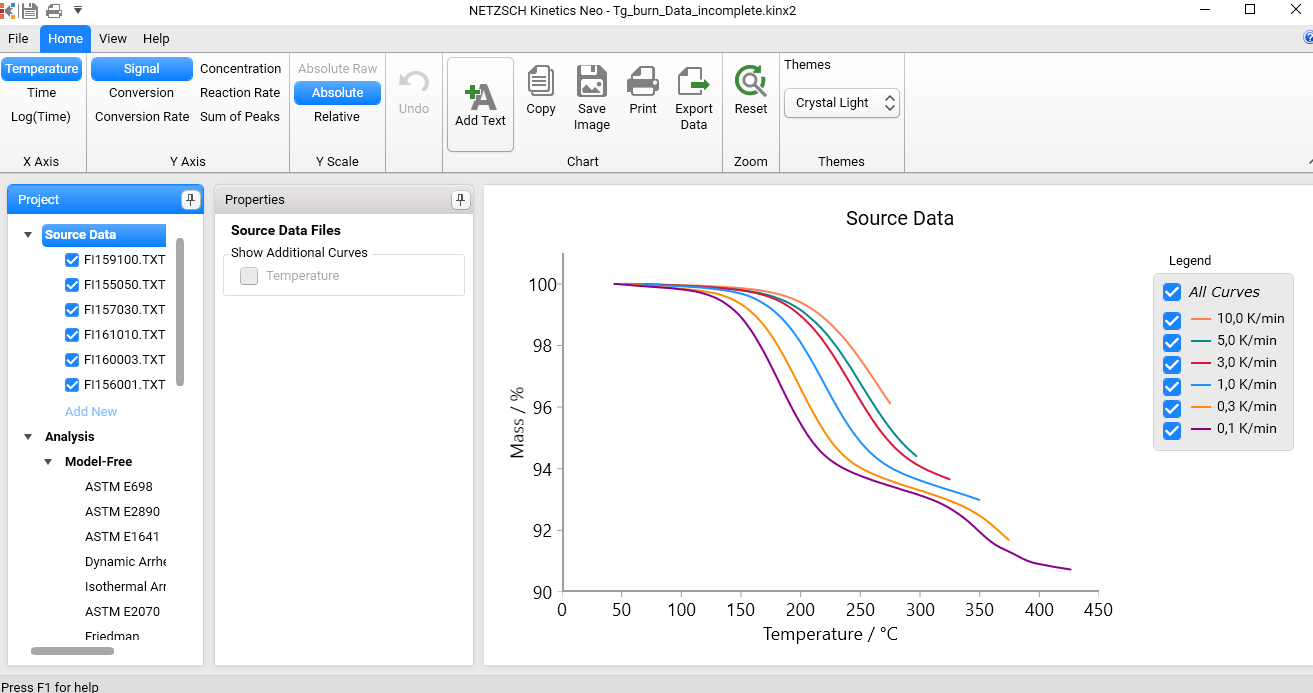
The total mass loss for complete reaction is about 9.5% and we will use it for calculation of the conversion for all measured curves.
Select in Source Data the first measurement, then switch on the possibility to edit total effect and type the value -9.5 for Mass,%
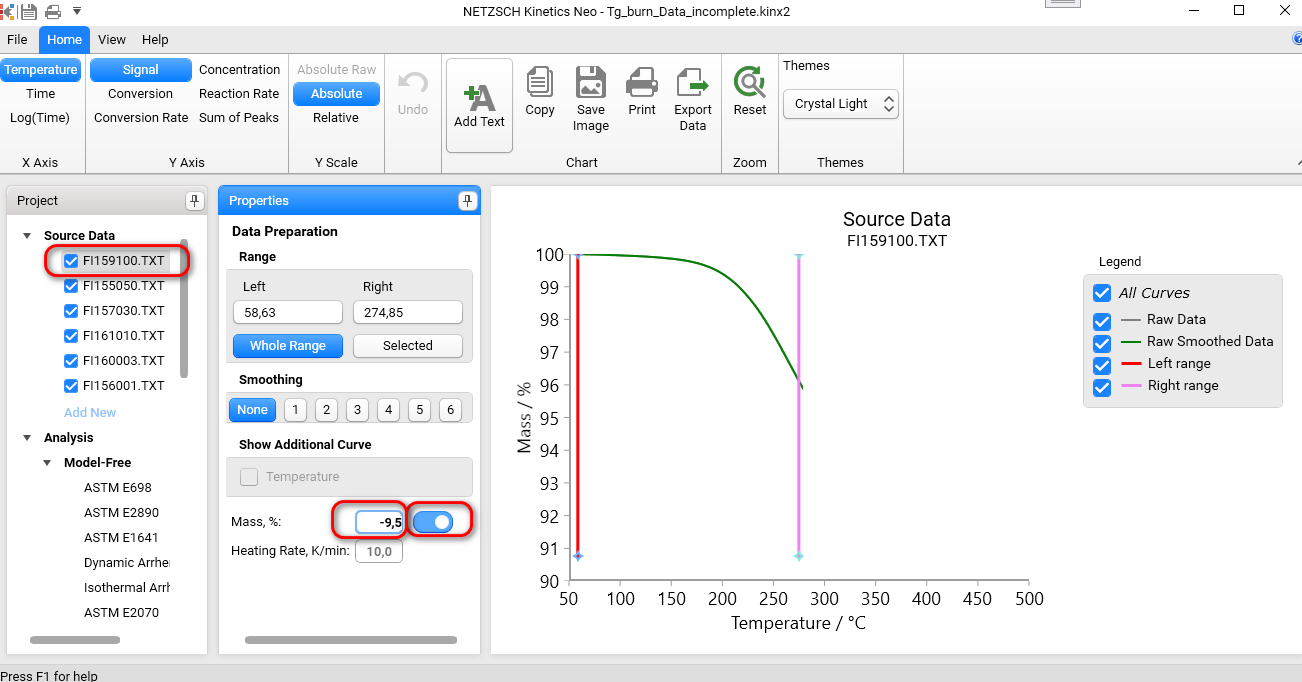
Please do the same for all other measured curves: click on each source data file in the Source Data tree and set the total effect value (Mass, %) manually.
Then select Source Data and switch to Conversion in the ribbon bar. Now the conversion is calculated using the manually typed value 9.5% for the total mass loss.
Model-Free Analysis for Incomplete Measured Data
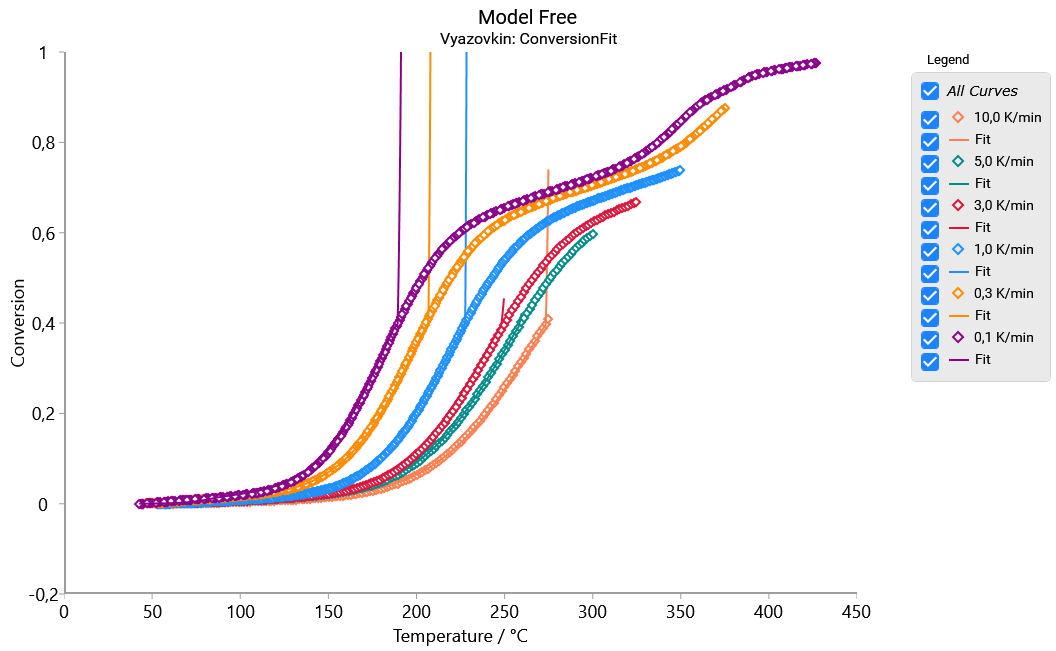
For the incomplete data model-free analysis provides correct results only for the points with measured data. For example, for next data the shortest measured curve is for 10K/min. It has the last measured point with degree of conversion 0.46. The model-free analysis according to Vyazovkin based on these curves, provide activation energy and pre-exponential factor only for conversion up to 0.46, where all 6 curves are measured. The results for conversion values above 0.46 could be incorrect.
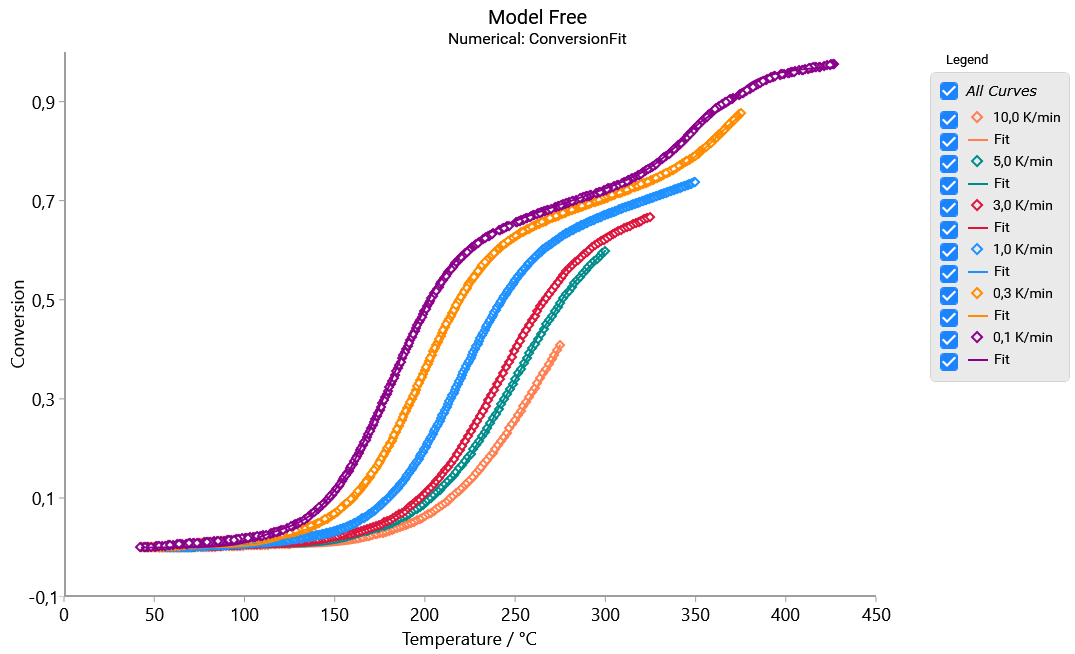
However, Numerical method in Kinetics Neo calculates activation energy for conversion below 0.46 using 6 curves, then only for 5 curves etc. For conversion=0.92 the calculation goes over two curves (0.1 and 0.3K/min). For the higher conversion values, only one curve 0.1K/min exists, which is not enough for the model free analysis. Finally, for numerical method we can analyze data for those conversion values, where more than one measured curve is present (here up to 0.92):
Model Based Analysis for Incomplete Data
The Model Based analysis can be used for the incomplete data if the total effect is known.
Next picture presents the fit of two-step model for TG conversion.
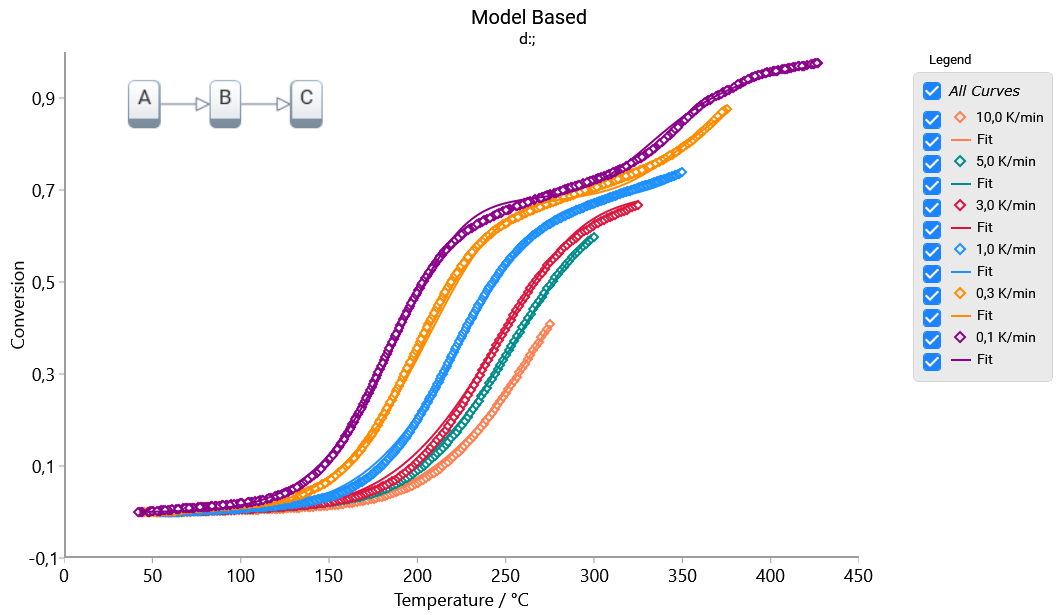
Kinetic model is created here like for complete curves. Detailed description can be found in our F.A.Q. article My Data Are Incomplete. Can I Still Analyze Them?