
How To Find Optimized Temperature Profile for Rate Control Sintering (RCS)
Sintering of Al2O3 under constant shrinkage rate
Introduction
For some industrial processes like sintering, it is important to know the temperature profile for the sintering process with constant shrinkage rate. This process called Rate Control Sintering (RCS). For debinding process the temperature profile for constant mass loss (Rate Constant Mass Loss RCM) is necessary as well.
Kinetics Neo software helps you to find the temperature profile for the given value of sintering rate. It is possible to find the smooth ideal temperature curve for this process as well as to create the temperature profile consisting of the temperature segments (temperature steps) with constant heating rate.
In order to create the temperature profile, it is necessary to have kinetic model for this process.
This How To Guide presents an example of calculation the temperature profile for Rate Control Sintering (RCS) based on kinetic model for DIL data.
Load the Sample Kinetic Project
1. Start Kinetics Neo Software and open Sample Project with kinetic model for the sintering Al2O3
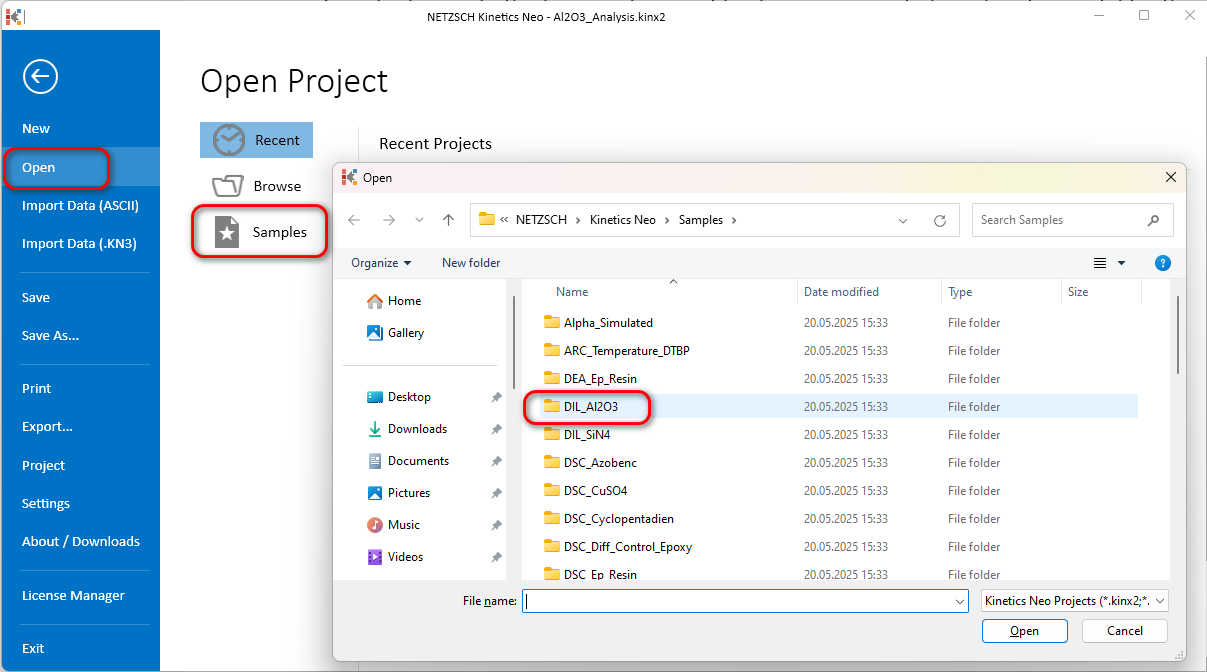
Click on the File tab on the main top ribbon, then click on Open on the left panel and select Samples. The Kinetics Neo samples directory will open in Windows Explorer. Select the DIL_Al2O3 directory.
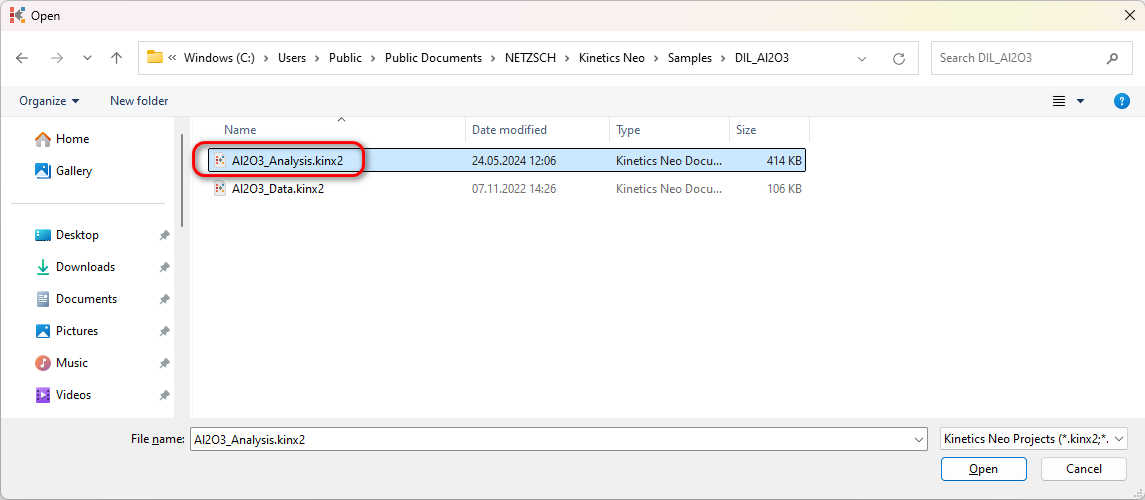
2. Open the Kinetics Neo project file Al2O3_Analysis.kinx2.
3. Loaded project contains four-step kinetic model with name q:
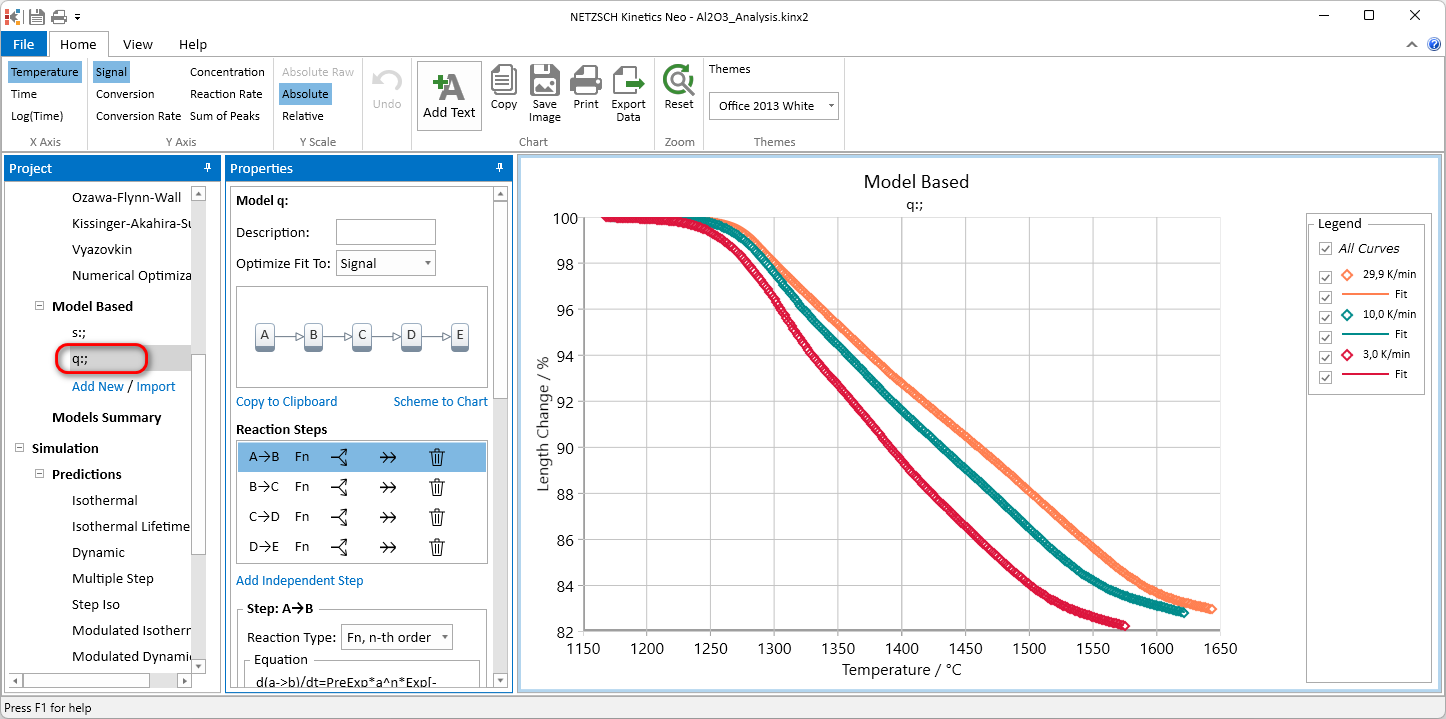
We will use this model for calculation of temperature profile for Rate Control Sintering.
Calculate temperature profile for RCS
In Project panel select Conversion Rate in Optimization Group.
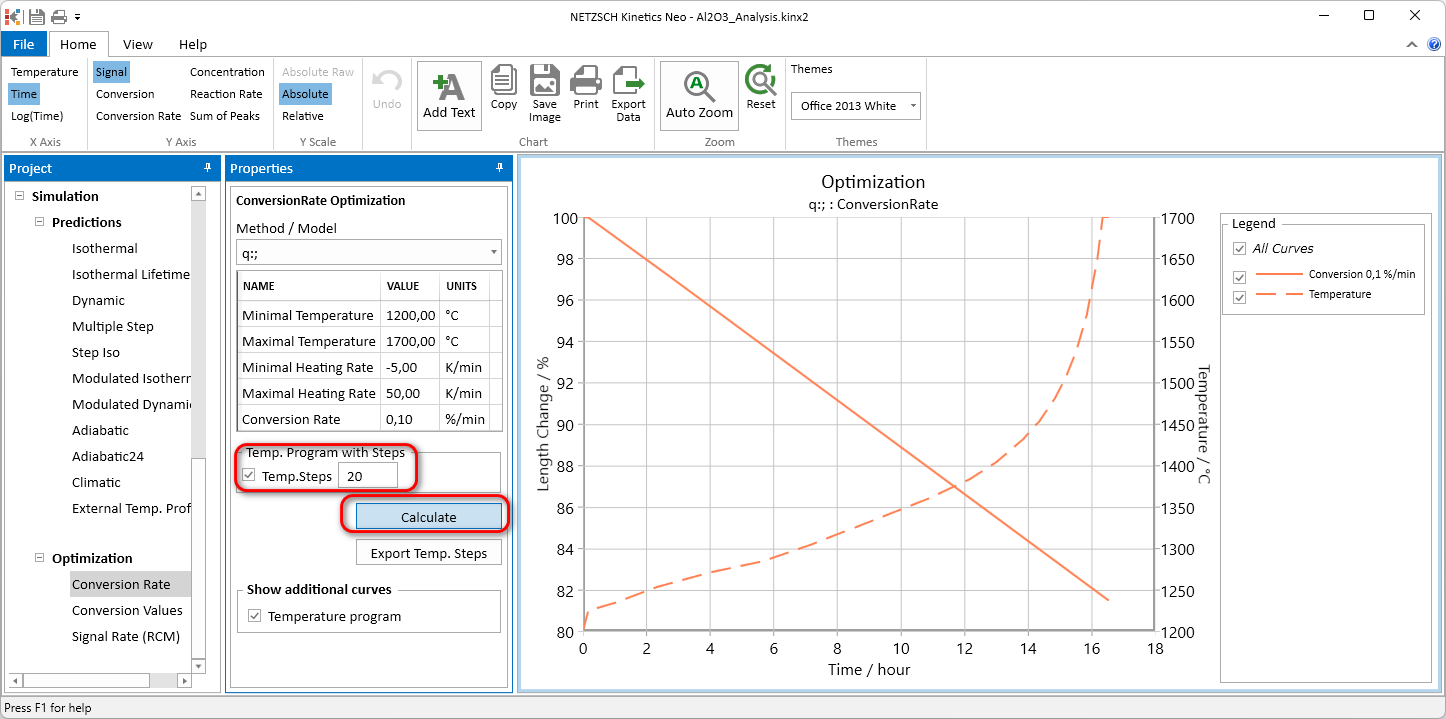
In the Properties Panel select q for current model, set Minimal Temperature to 1200°C and Maximal Temperature to 1700°C, Conversion Rate to 0.1%, then click Calculate and select Time in the Ribbon for X-Axis:
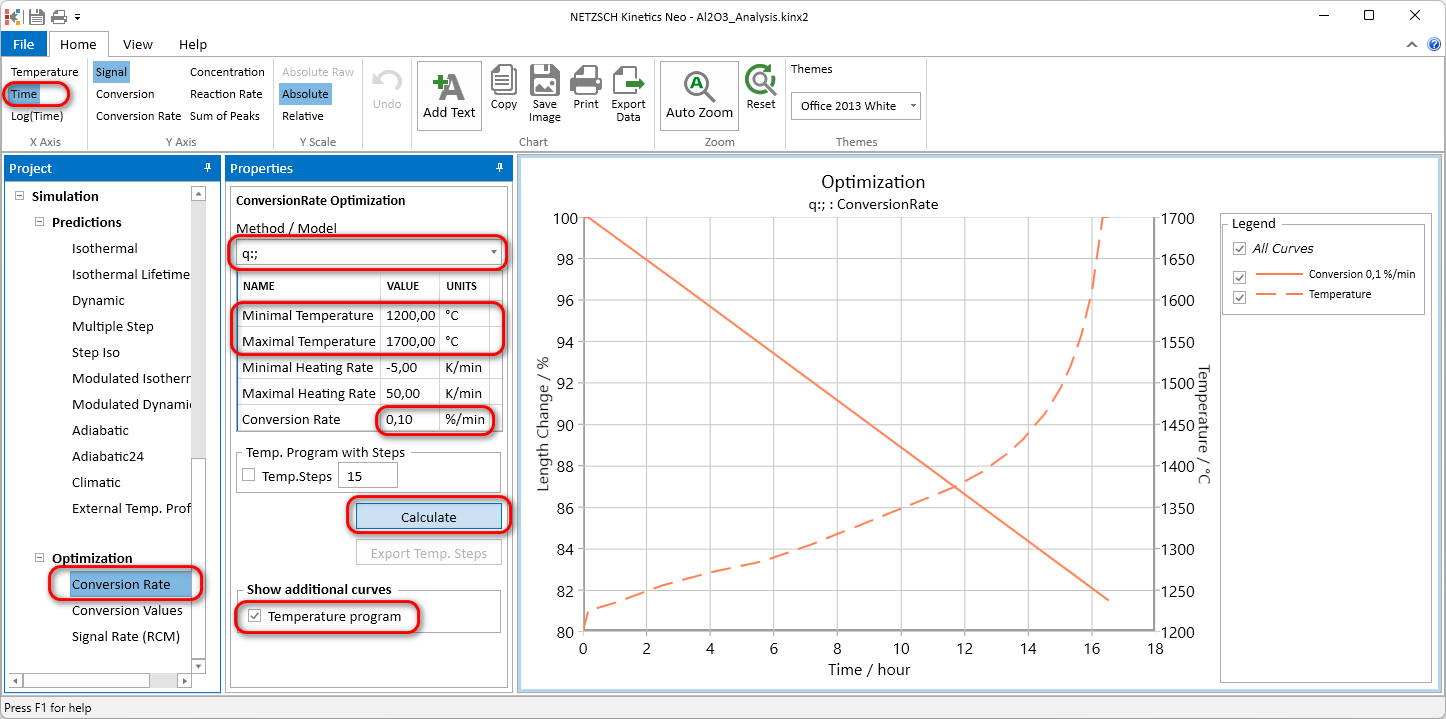
Now optimal temperature curve is presented as the dashed line, and corresponding sintering curve with the constant shrinkage rate is the solid line. If the temperature curve is not shown, then in Properties panel please check Temperature Program Checkbox to ON.
Export Temperature Profile as the Ideal Curve
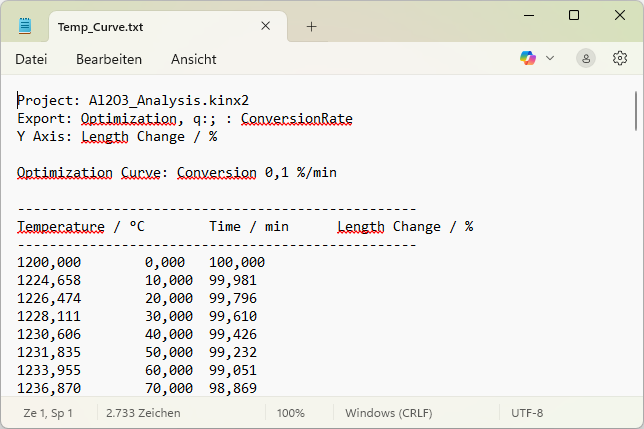
Click on Export Data and save exported file as Temp_Curve.txt

Exported file contains columns of Time, Temperature and Length Change as the curves.
Export "Real" Temperature Profile Consisting of Temperature Steps with Constant Heating Rate
In Properties panel set the number of temperature steps to 20, switch ON the checkbox Temperature Steps and click on Calculate.
Now the temperature program with 20 temperature steps is calculated.
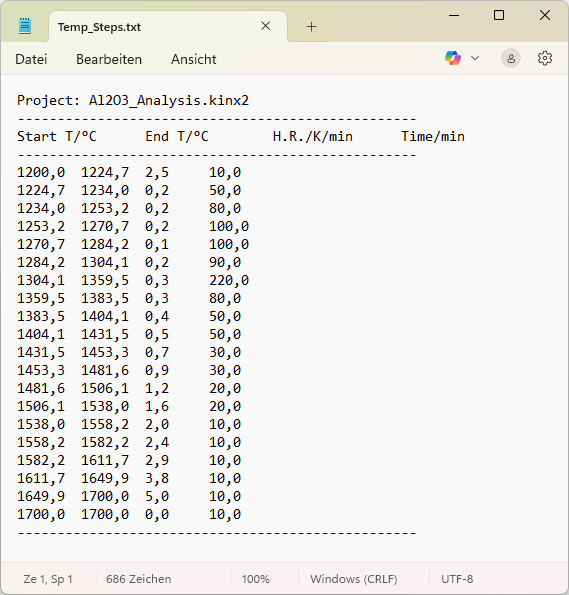
In Properties panel click on Export Temp Steps to save this temperature program as the set of 20 temperature steps. Each line in the exported file contains initial temperature, final temperature, heating rate and segment duration.
The number of exported decimal digits can be set in the Settings, Item Digital Precision of Exported Data.
The same optimization procedure can be used for calculation of optimal Temperature profile for Rate Control Mass Loss (RCM) based on kinetic model for TG data.
The decomposition with the constant rate is useful for optimization of debinding process for sinter metallurgy or ceramic production.