How to Add Enthalpy Dependence on Concentration Ratio for Two-Component Reaction
Curing kinetics with different epoxy/amine ratios
DSC Two-Component Curing System
This guide is a second part of the serie of user guides about DSC two-component cusing systems:
Part 1. How to analyze two-component reaction depending on component concentrations.
Part 2. How to Add Enthalpy Dependence on Concentration Ratio (two-component reaction depending on component concentrations) - this guide.
Introduction
The rate of two-component reaction A + B → C depends not only on temperature, but also on the concentrations of reacting compounds A and B. Changing of the initial concentration ratio leads to the changing of the reaction rate and reaction enthalpy.
In this “How To” guide the dependence of enthalpy on concentration ratio will be added to the common kinetic model depending on both temperature and concentrations.
Load the Sample Data Project
Start Kinetics Neo. Click on Open in the menu on the left side, then select Samples.
Select directory DSC_Epoxy+Amine_Concentrations and file with data DSC_Epoxy+Amine_Concentrations_Analysis.kinx2
In the Project Panel find Analysis, section Model Based, select the model All Measurements.
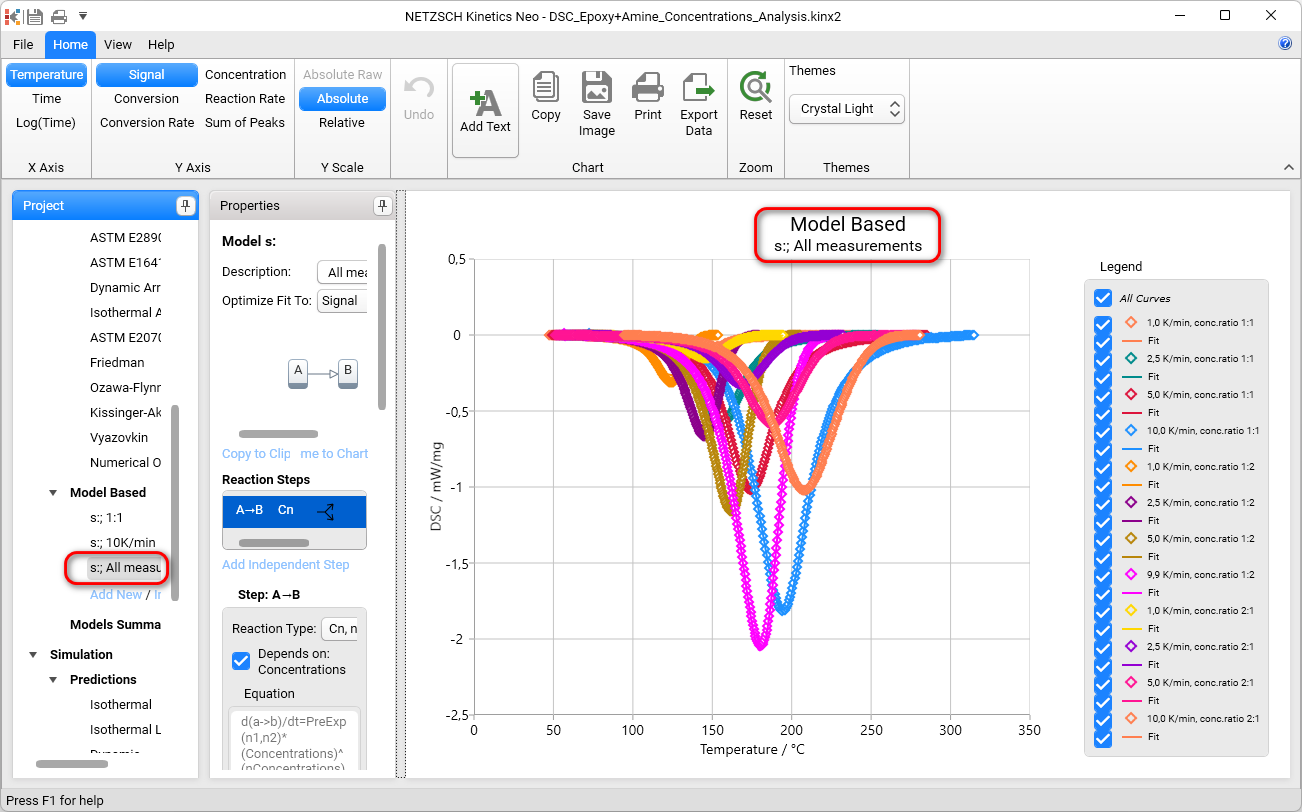
This is kinetic model for epoxy/amine system depending on both temperature and epoxy/amine ratio.
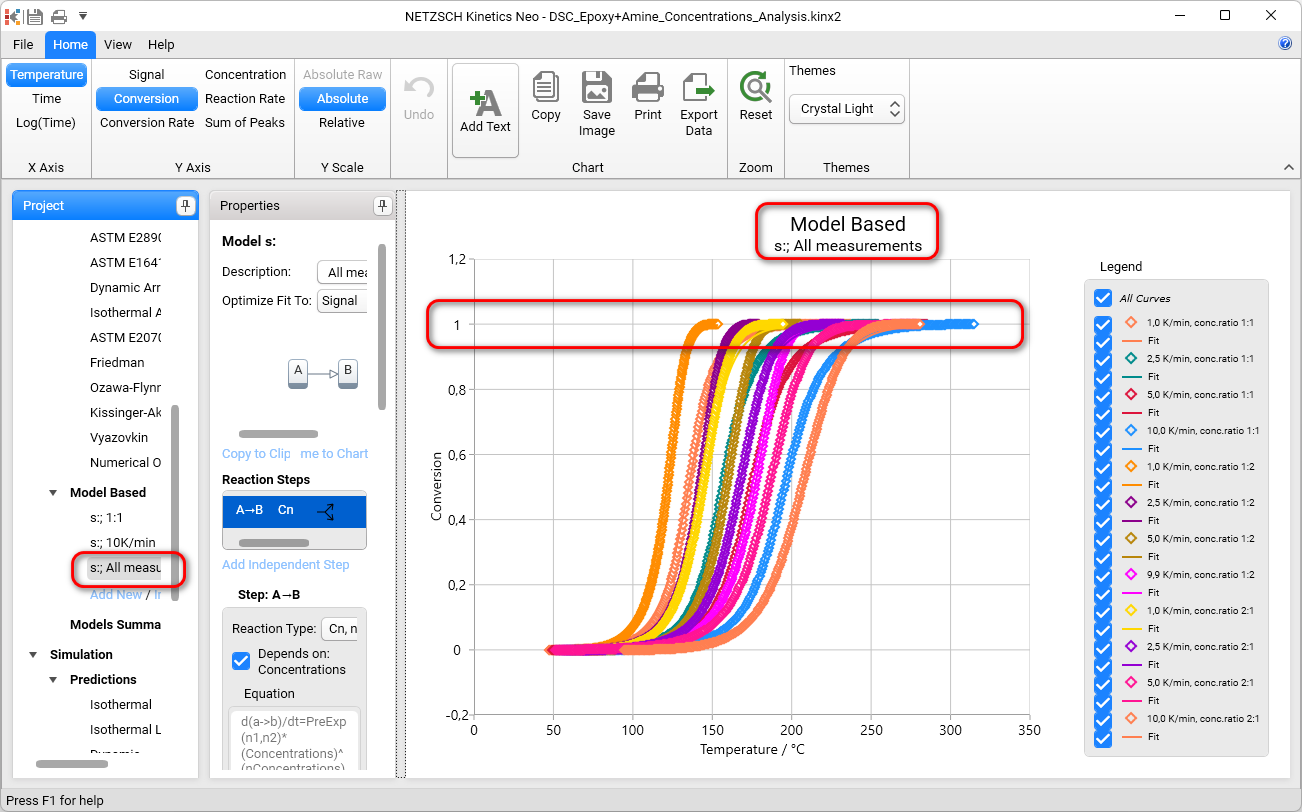
The model calculates degree of conversion regarding the peak area for given concentrations and always means 100% conversion at the end of peak. Select Conversion on the Ribbon toolbar to see the conversion for all 12 curves.
Set Maximal Enthalpy for All Measurements
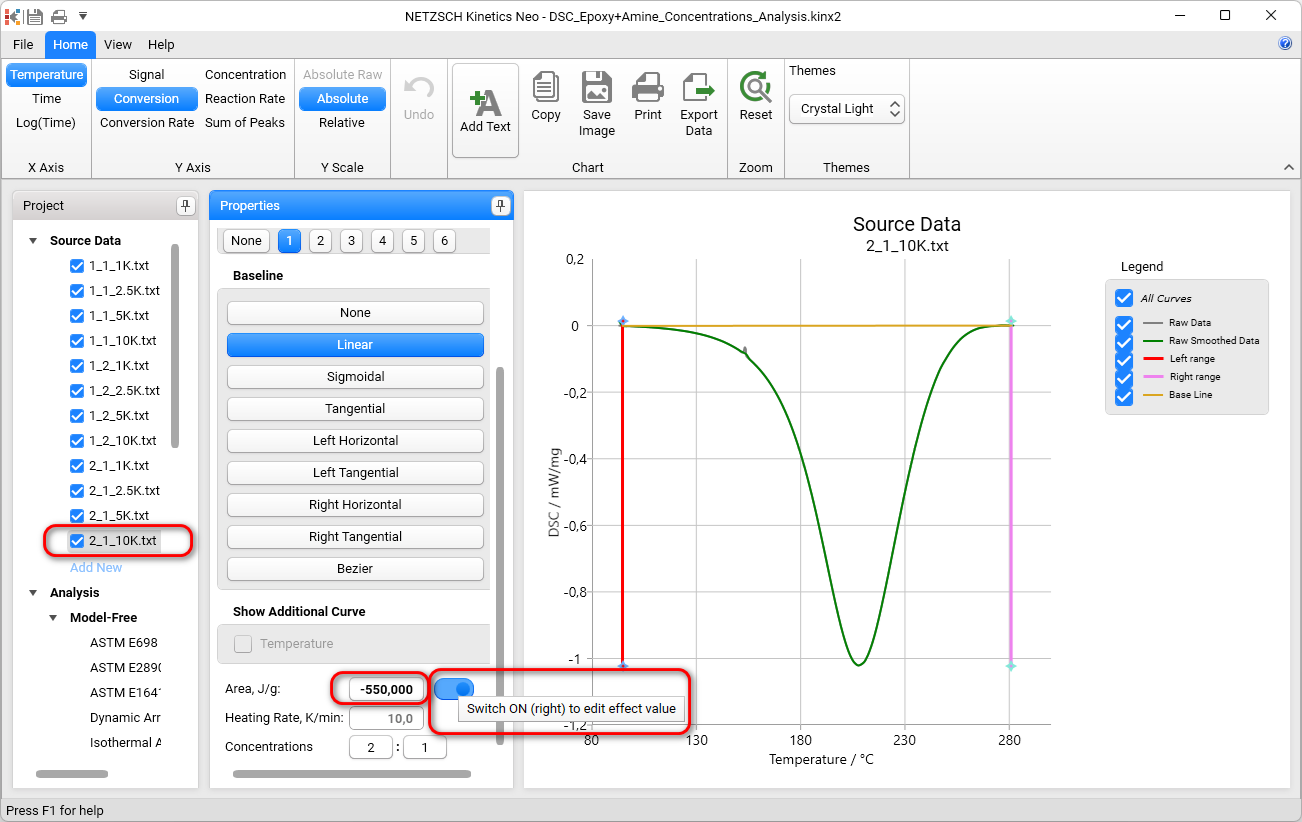
Show each measurement in Source Data and find those of them, which has the maximal enthalpy. In the current project it is the measurement 1_1_5K.txt
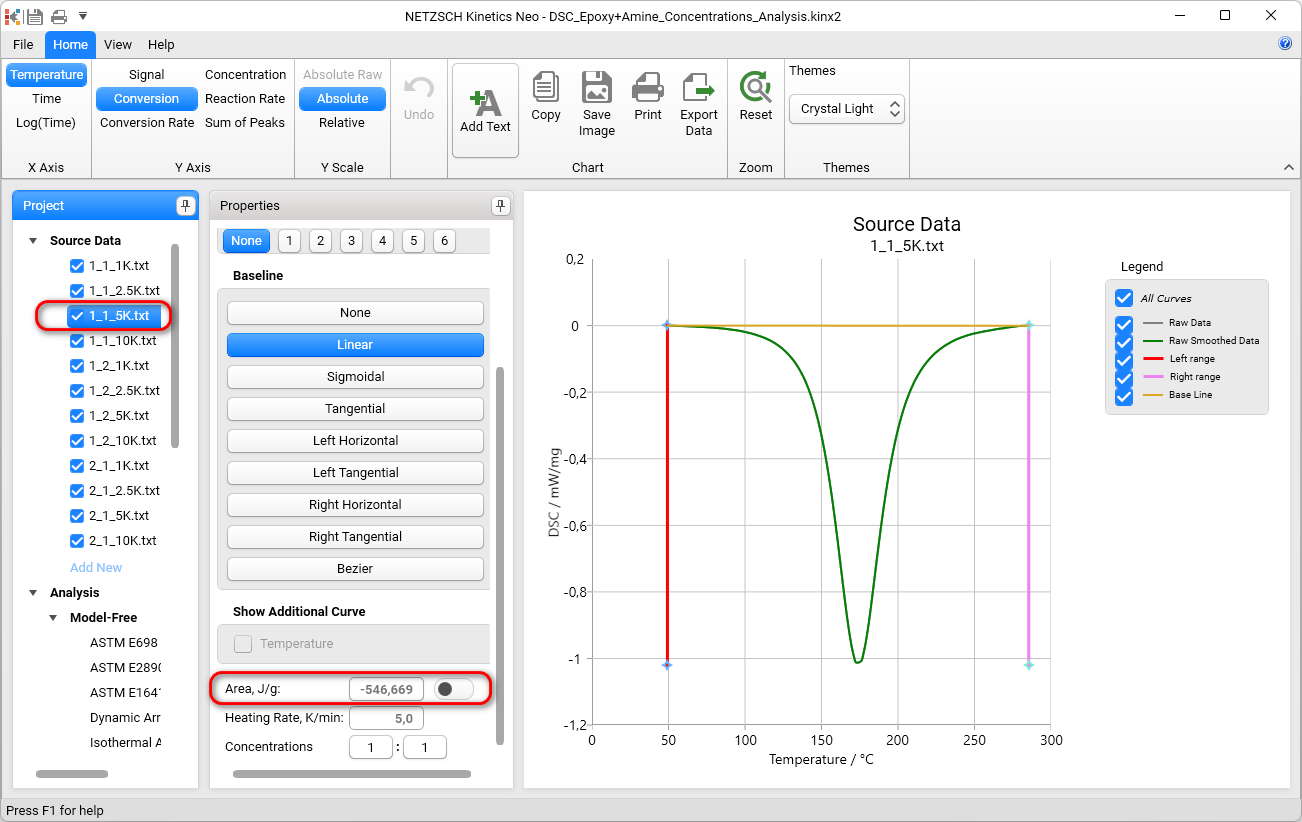
Here the area -546,669 J/g.
For last measurement switch ON the possibility to edit Peak area and set value -550:
Do the same for all measurements in Source Data.
Select all Source Data and see the Conversion. Now all conversions are calculated regarding the maximal value 550J/g.
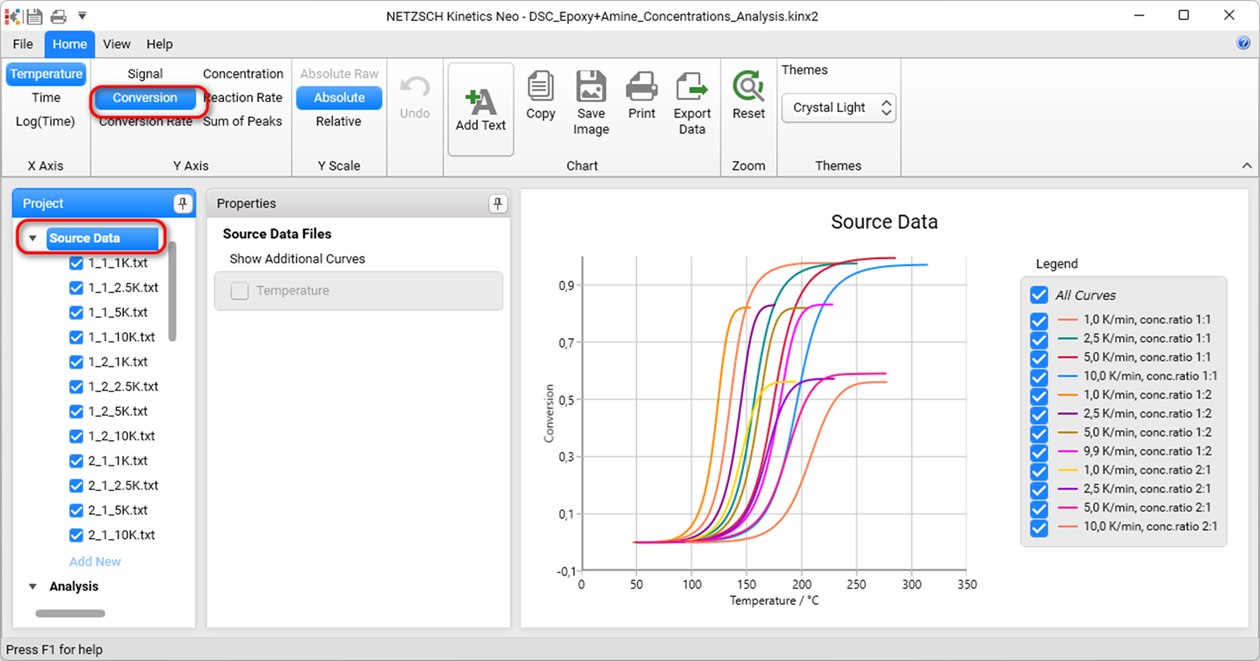
It is seen that decreasing of concentration twice for Epoxy provides not the same enthalpy as the decreasing of concentration for Amine twice too.
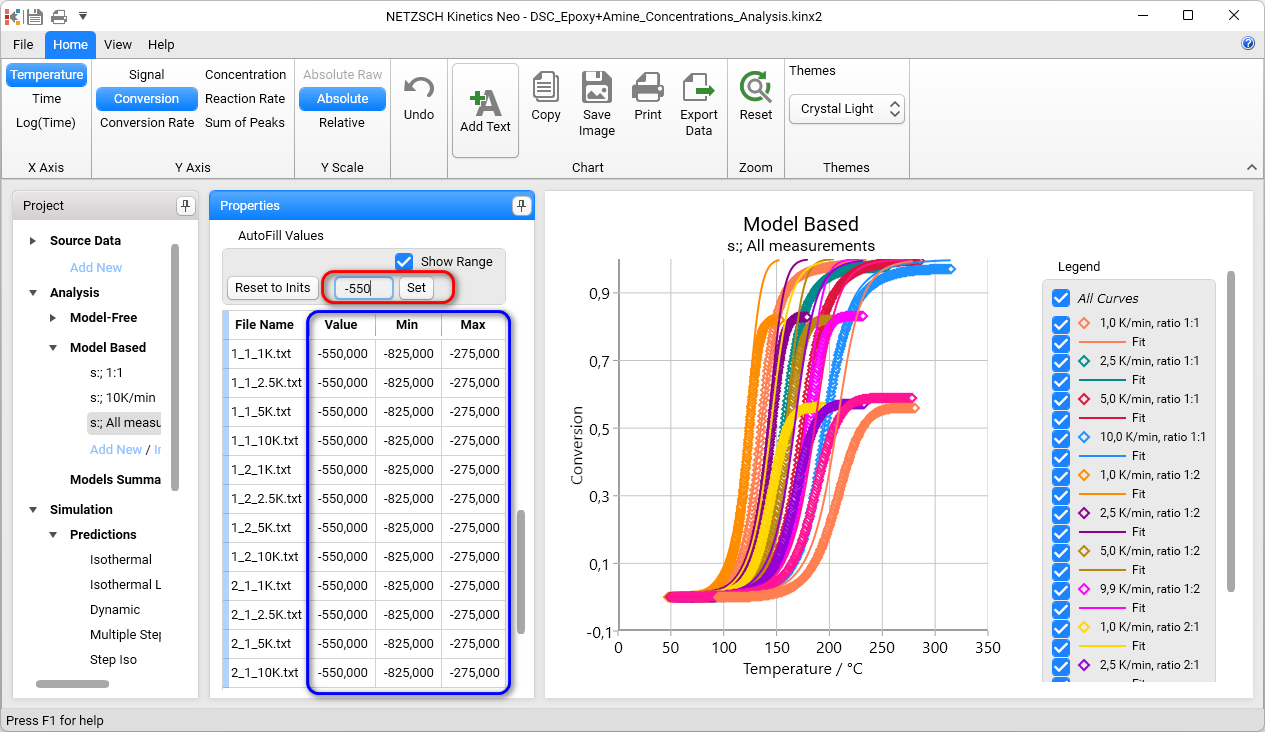
Select model All Measurements , then in Properties Panel scroll down to Area, check Show Range. All experimental values in the table are different:
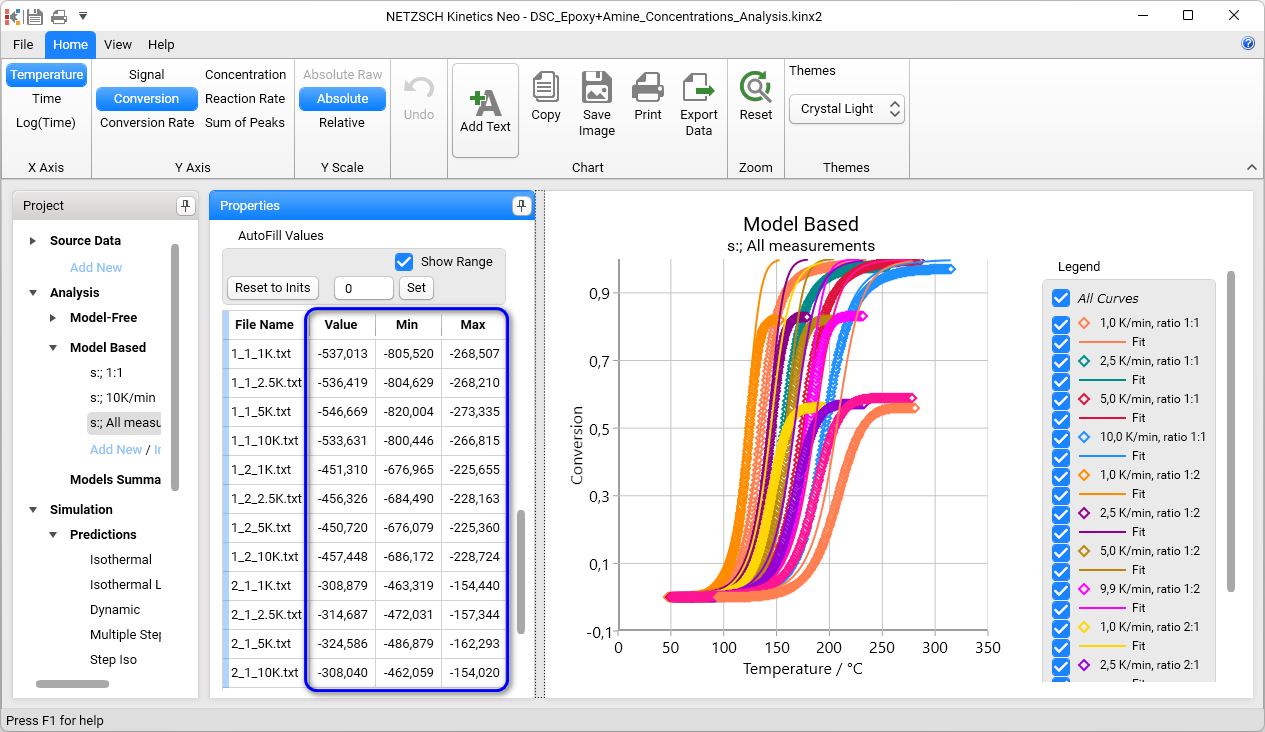
Type -550 for AutoFill and click on Set. Now all values in the table are filled with value -550J/g. Minimum and Maximum are recalculated correspondently and also the same for all curves:
Use Parameter for Enthalpy
In Properties Panel find Parameters section and check Show Range.
For Parameter kEnthalpy set values:
- 1
- 0
- 20
... (like in Figure) and click on Recalculate:
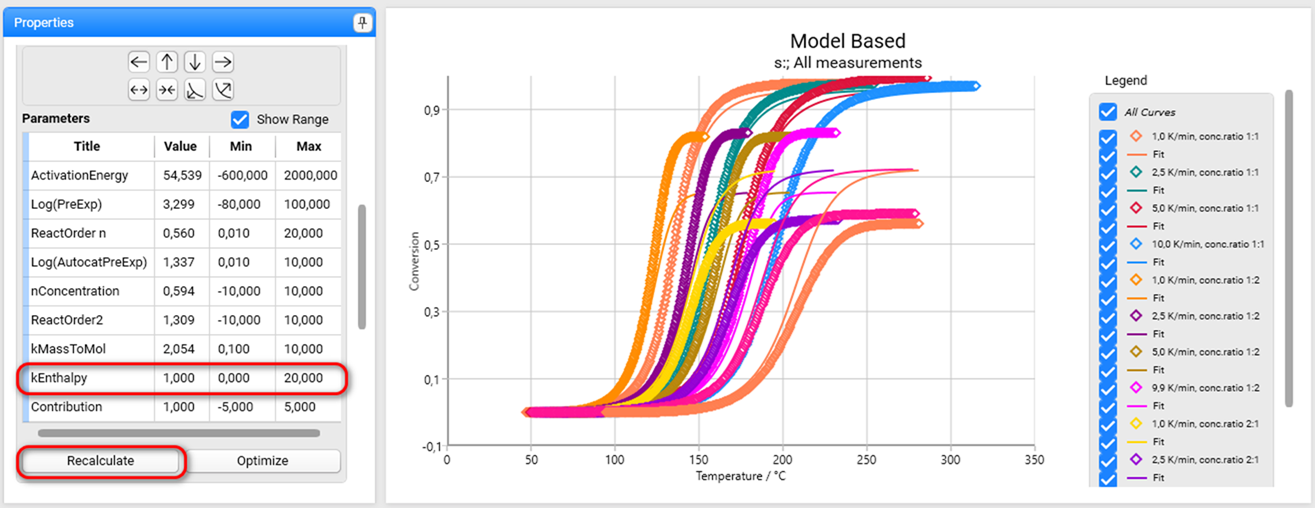
If kEnthalpy=0 then it is not used.
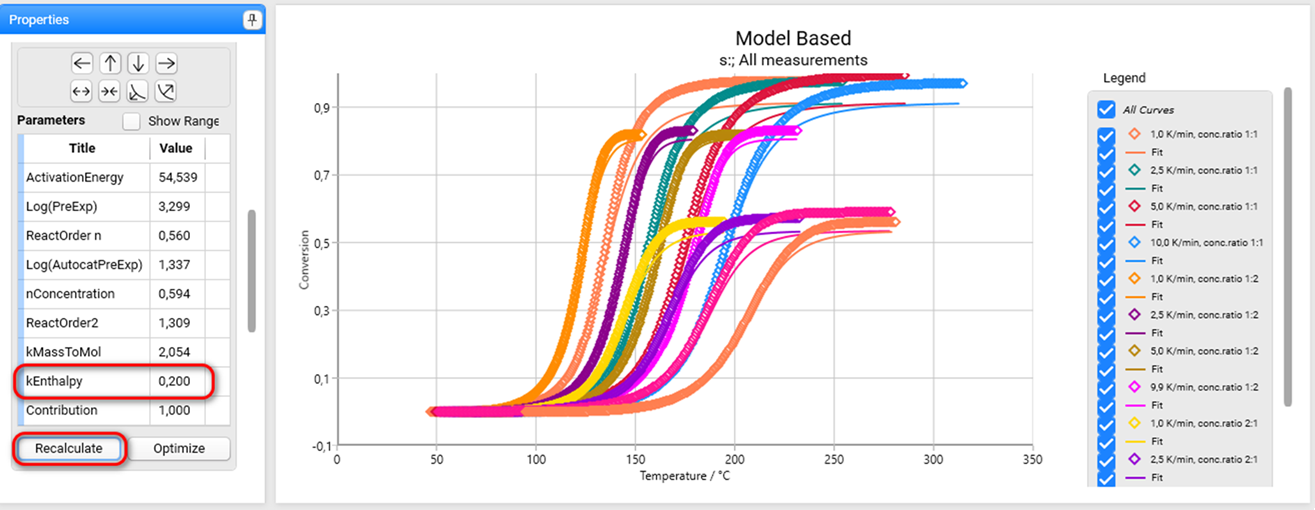
For Parameter kEnthalpy set value 0.2 and click on Recalculate. Now the final values of simulated curves are much closer to the experimental values.
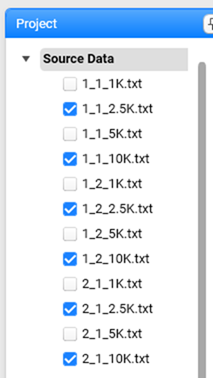
For faster calculation you may keep on only the 6 curves with heating rates 2.5 and 10K/min in Project panel, section Source Data:
In Project panel select model All Measuremets.
In Properties panel select Optimize Fit To Conversion, then Scroll down to Model Operation and click Optimize. It takes a while because the number of parameters is too high.
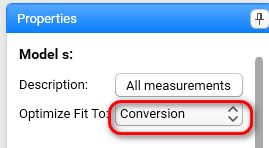
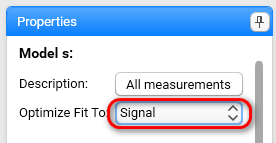
In Properties panel select Optimize Fit To Signal, then Scroll down to Model Operation and click Optimize again.
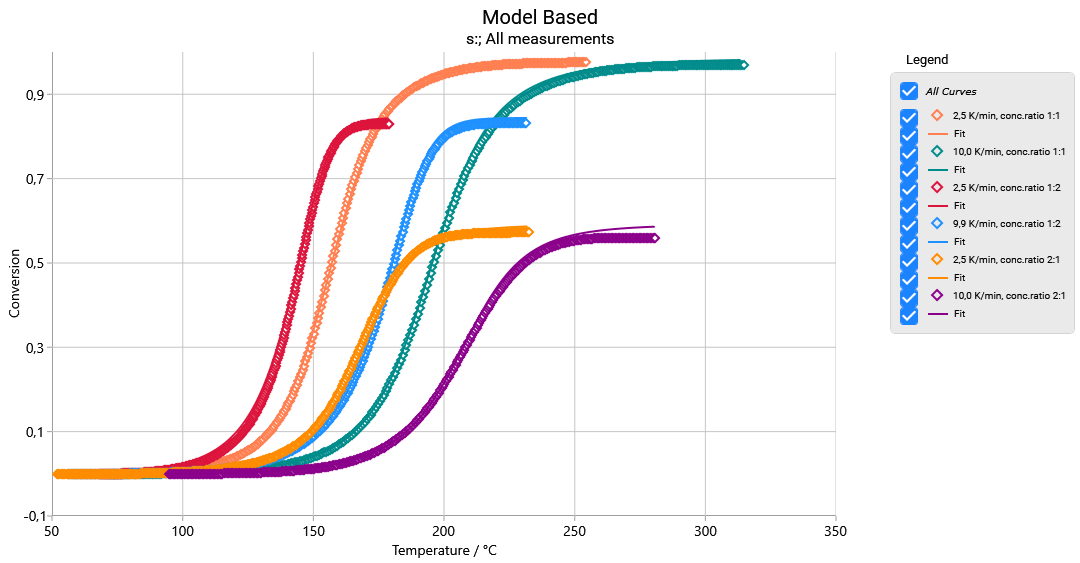
Result has the good agreement of the simulated and 6 experimental curves.
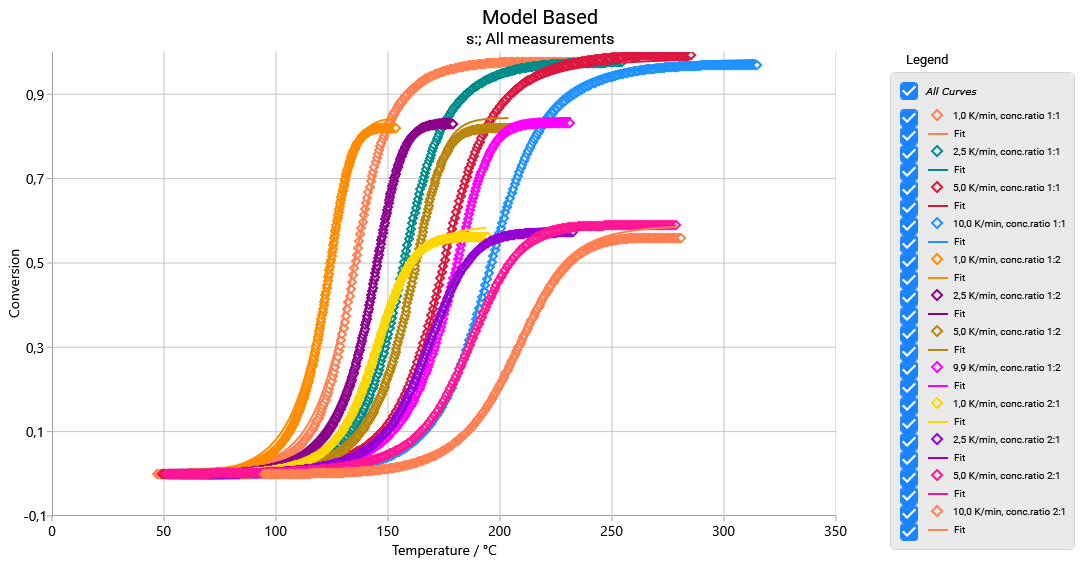
Alternatively, you can do the same for all Source Data: and get result for all 12 curves:
The vertical axis has the value from 0 to 1 and means the factor of the current enthalpy regarding the maximal reaction enthalpy at the optimal concentration ratio.
Parameter value kEnthalpy for mass ratio is different from kEnthalpy for mol ratio.
Prediction for Given Concentration Ratio
In Ribbon bar select Time for x-Axis, in Project panel select Simulation – Prediction – Multiple Step, then input temperature program for prediction and set the Concentrations1:1 and click Calculate. Dashed temperature curve can be shown by click on Termperature checkbox on Properties panel:
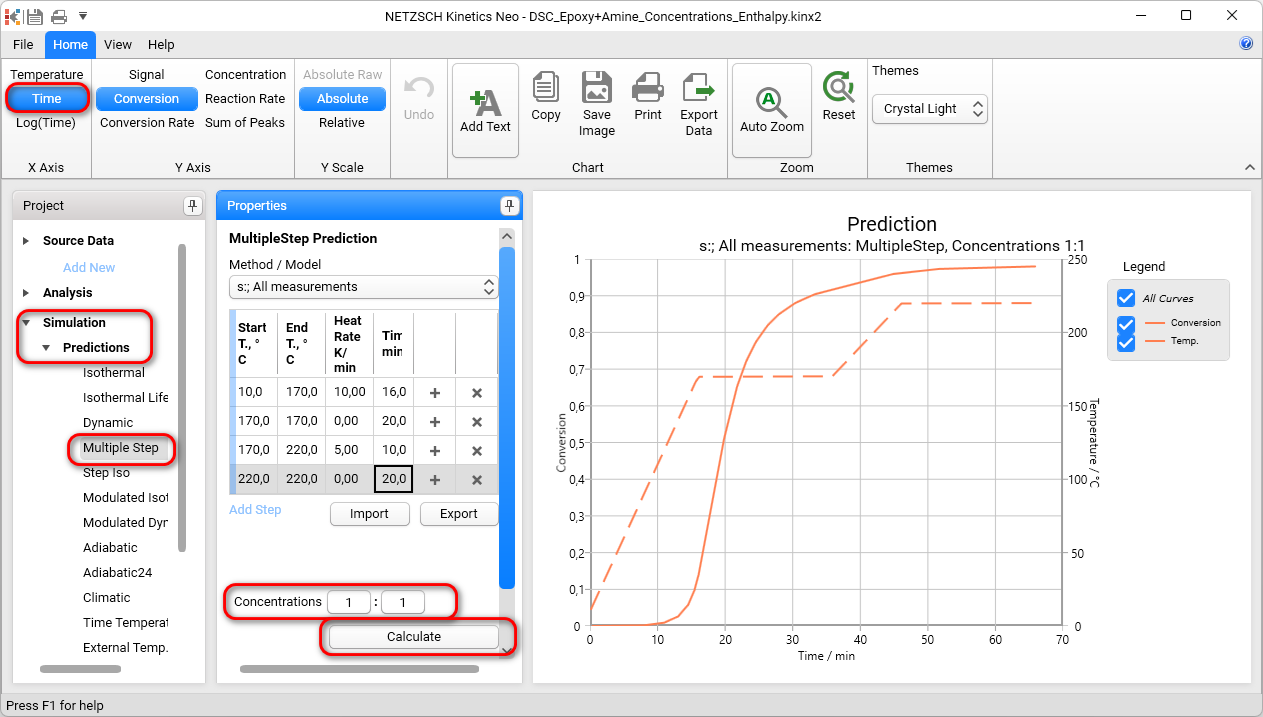
For Concentrations 1:10 the final enthalpy is about 0.4 of the maximal enthalpy:
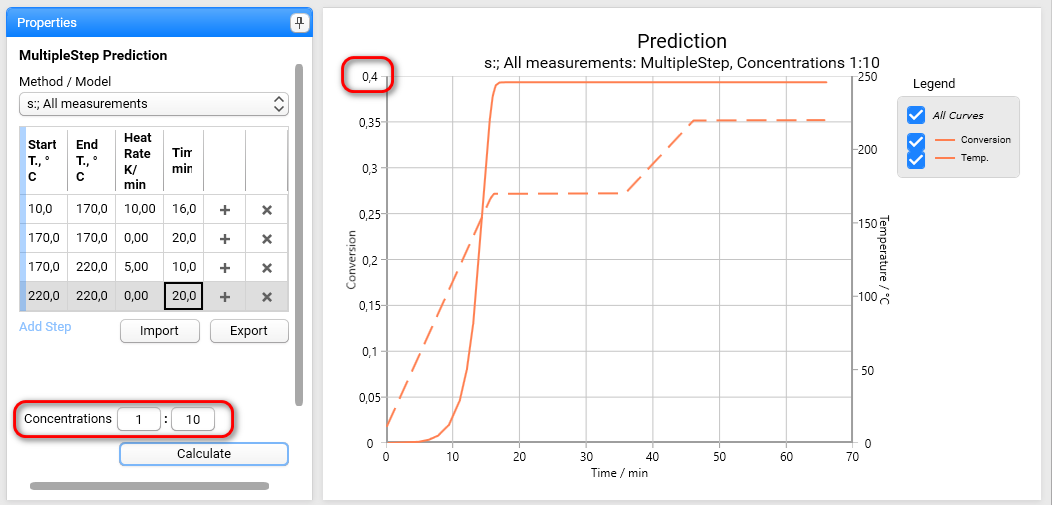
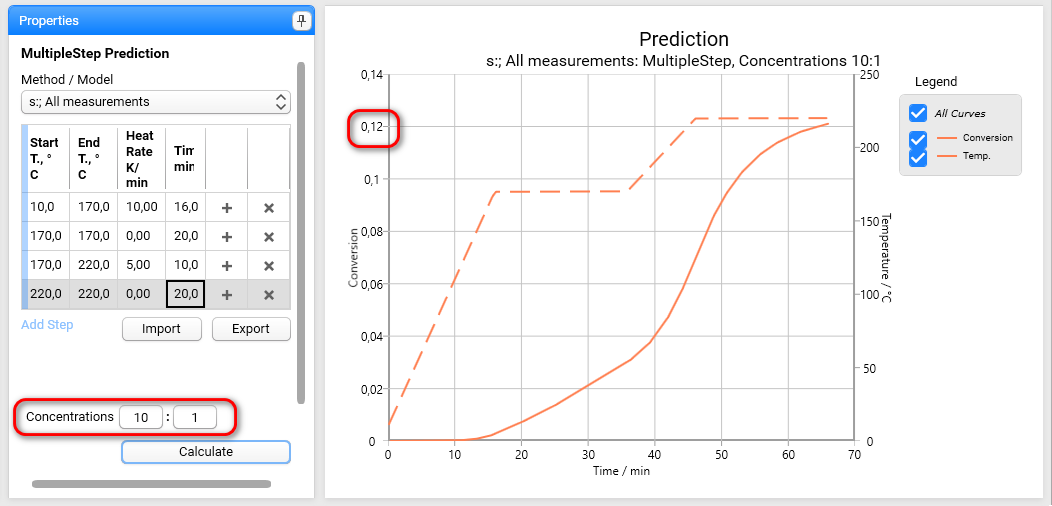
For Concentrations10:1 the final enthalpy is only about 0.12 of the maximal enthalpy: