What Is New in Kinetics Neo Version 3.7
Build 3.7.26034.16
Contents
New, Important: Analysis of few data points (sparse data): HPLC-GC (High performance liquid chromatography – gas chromatography), concentrations for stability, aging etc .
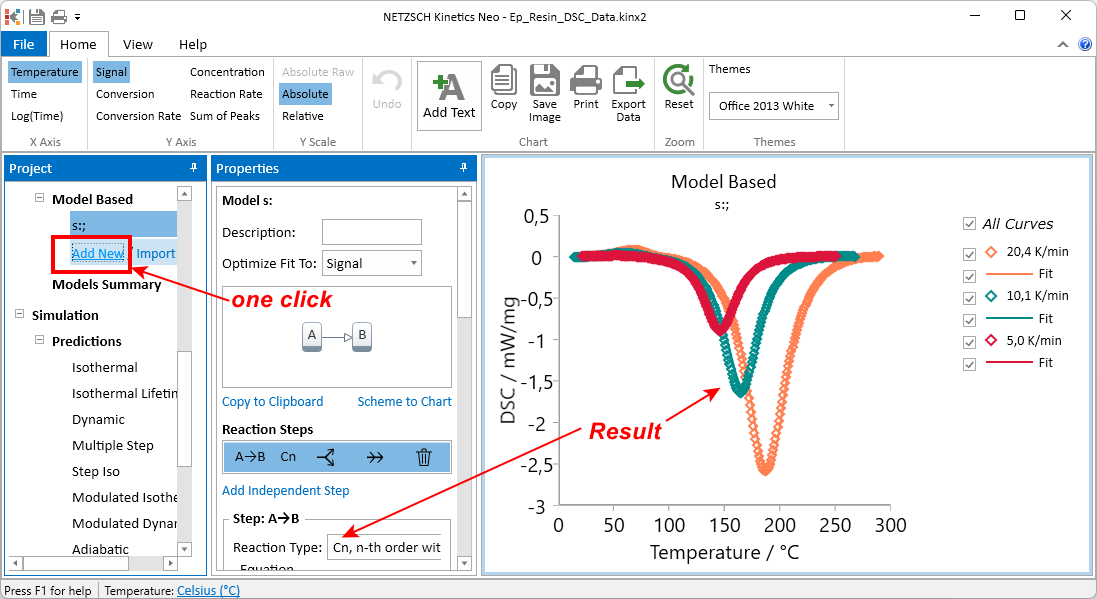
New, important: Automatic determination of chemical reaction typefor the single-step models
New: Import of measurements with the time units: seconds, minutes, hours, days, months
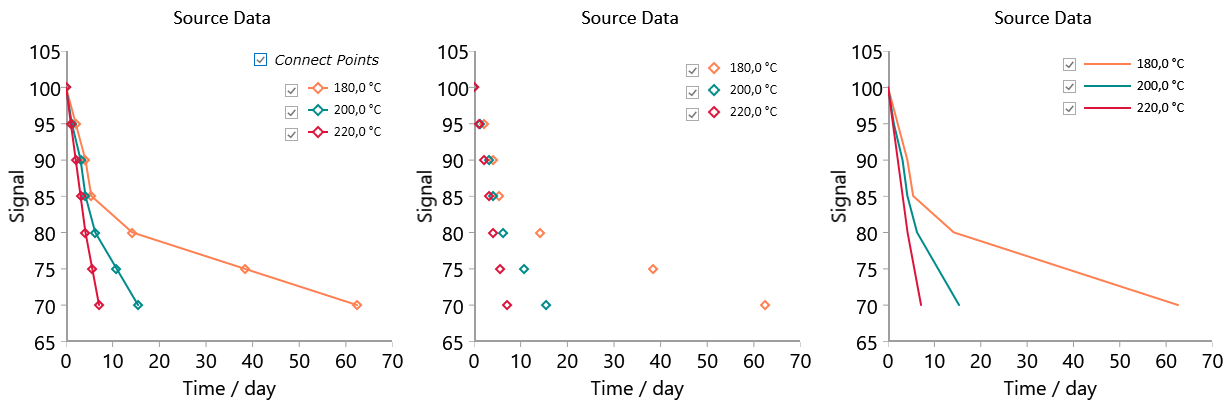
New: Presentation of experimental data as markers only, markers connected by lines or curve without markers
New: Two new examples for few data points:
- Aging of powder paint film: extra-long measurements for 12 months
- Aging of polymer: measurements with very few data points
New: AutoFill function for model-based optimization to easily set values and optimization range for the total effect (peak area, mass loss etc) of all experimental curves.
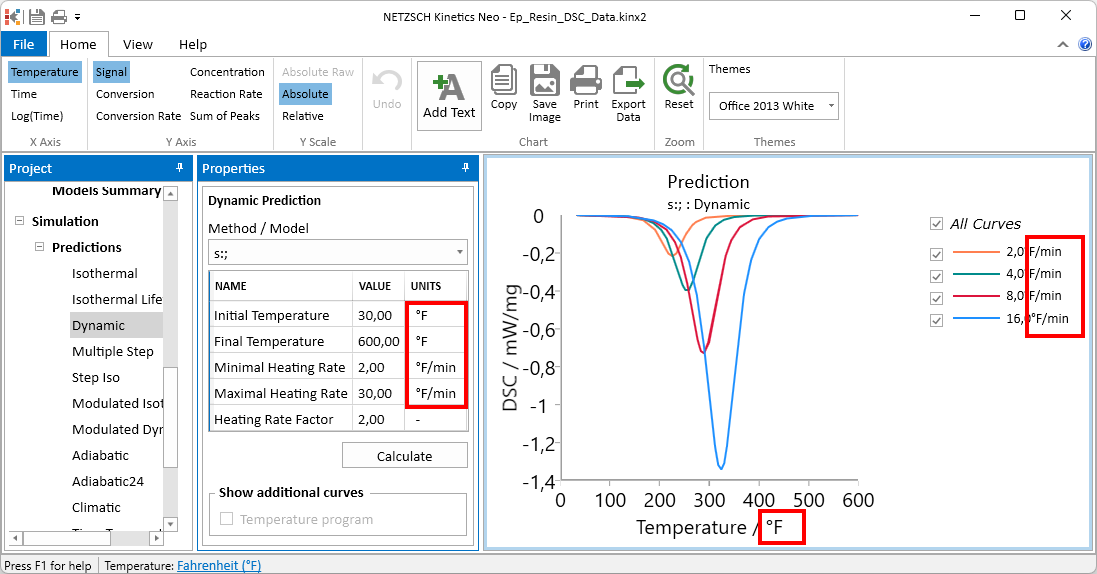
New: Selected temperature units (°C, °F or K) can be used in software: from data import and kinetic analysis to predictions, optimizations and export results. This functionality is implemented according to requests of our industrial customers working in Fahrenheits only.
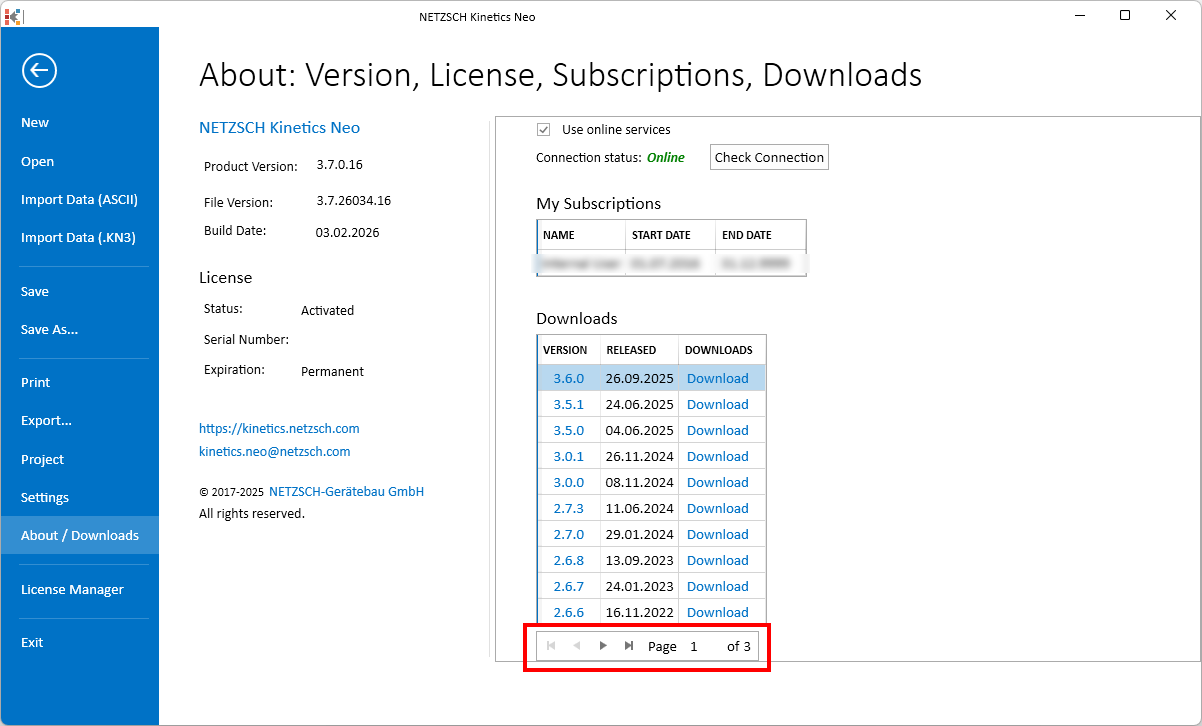
Improved: The list of all possible download versions is now paged.
Measurements with Few Data Points (Sparse Sata)
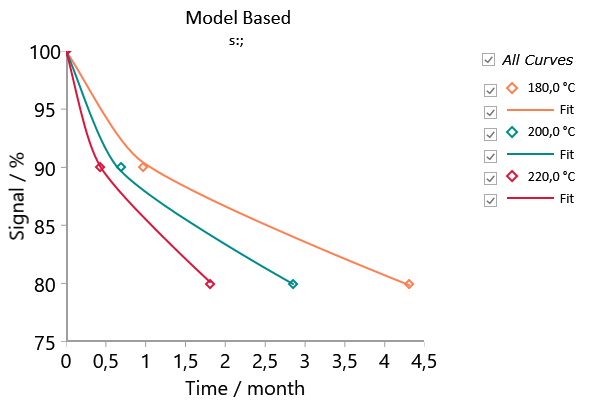
New possibility to load and analyze measurements which have very few data points (3-20 instead of 1000).
Possible measurement types are:
- Mass,
- High-Performance Liquid Chromatography (HPLC) and Gas Chromatography (GC),
- Concentrations for stability, aging etc.
Experimental data loaded into Kinetics Neo software can be shown as:
- Markers only,
- Markers connected by solid line,
- Solid line.
Automatic Determination of Chemical Reaction Type
For all single-step model-based analysis the Automatic determination of chemical reaction type is added. It is based on complicated AI-like algorythm which determines which reaction type should be selected for current set of source measurement data:
Select Time Units by Import of Measurements (not only Minutes)
Before version 3.7 all measurement files which will be importen into Kinetics Neo must have time values in minutes.
Now the import of measurements is possible for the following time units:
- seconds
- minutes
- hours
- days
- months
New Examples for Measurements With Few Data Points
Example 1: Aging of Powder Paint Film: Extra-Long Measurements For 12 Months
The example Aging_Powder_Paint demonstrates aging of powder paint film: extra-long measurements for 12 months, only first part of aging is measured. It is added to Samples delivered with Kinetics Neo version 3.7 and above.
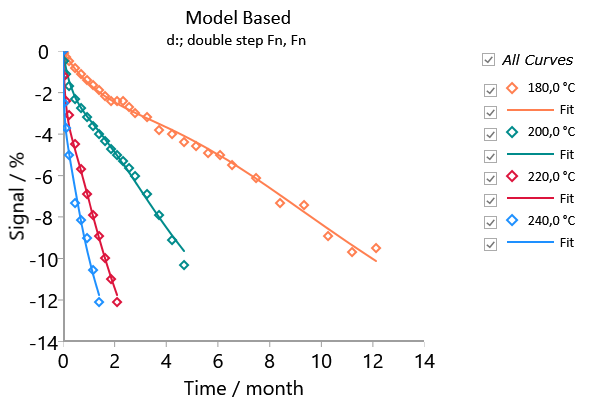
Example 2: Aging of Polymer: Measurements With Very Few Data Points (3 Points at Each Temperature)
The example Aging_Polymer_Few_Points demonstrates aging of polymer: long measurements for 4 months with only 3 data points at each temperature. It is added to Samples delivered with Kinetics Neo version 3.7 and above.
Temperature Units: Welcome to Fahrenheit and Kelvin!
Now it is possible to set temperature units in any Kinetics Neo project to Celsius, Fahrenheit or Kelvin. Even if the old project was created with Celsius, it is possible to change it to Fahrenheit.
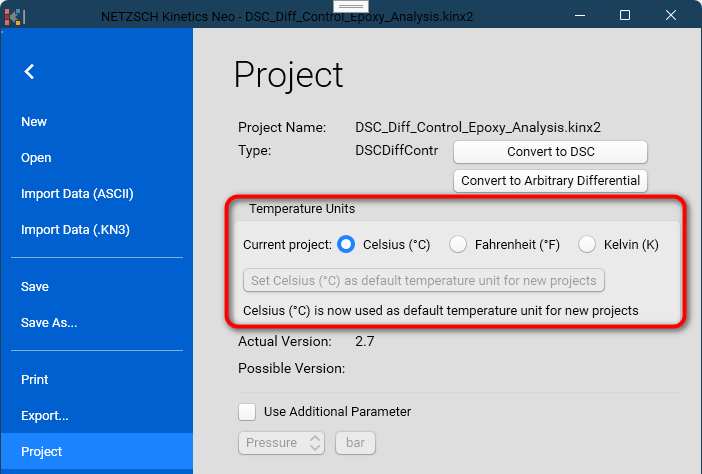
For example, if your colleague sends you Kinetics Neo project where temperature units are Fahrenheit, you can switch the units to Celsius on your computer. All temperatures will be recalculated.
Default temperature units for new projects can be defined on the current computer. After that all new Kinetics Neo projects will be created with this temperature unit. So, if you set default temperature units to Fahrenheit, then all new projects on this computer will be created with temperature in Fahrenheit.
During the import of measurement data it is possible now to define that measurement was made in Fahrenheits. Different measurements can have different temperature units.
Temperature units Celsius, Fahrenheit or Kelvin are used in all charts, properties, analysis, simulations, export of data and results. Only exception is the crystallization models according to Hoffmann-Lauritzen theory: here temperature parameters must be in Celsius.
AutoFill Function for Model-Based Optimization
AutoFill function is added for model-based optimization to easily set values and optimization range for the total effect (peak area, mass loss etc) of all experimental curves. Important for work with incomplete data and sparse data.
Paged List of Kinetics Neo Available Downloads
Many of our long-term customers have Kinetics Neo Support Subscriptions for years. In this case the list of available versions of software may be quite long. Now this list is splitted to pages je 10 versions per page, newest first: